Your team adopted Copilot. Developers are accepting suggestions faster. Sprint velocity looks better on the dashboard. And yet: requirements are still vague when they hit engineering. QA still discovers missing edge cases. Documentation is still stale. Release governance still takes a week.
You sped up the typing. You didn’t change the system.
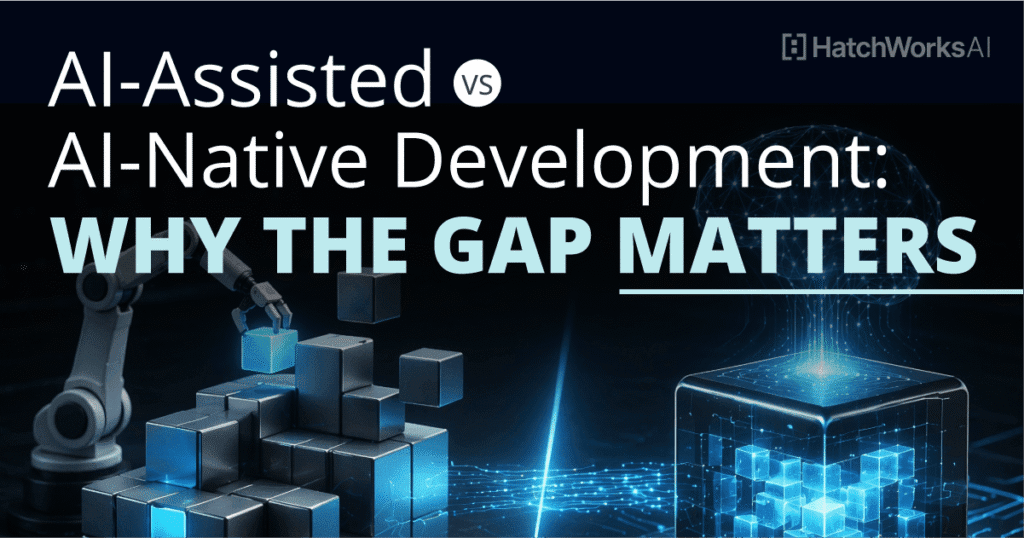
This is the gap between AI-assisted development and AI-native development. And for engineering organizations trying to capture real productivity gains from AI, it’s the distinction that matters most.
AI-Assisted Development Is Where Most Teams Are Stuck
Let’s be specific about what AI-assisted development actually looks like in practice. A developer opens their IDE. Copilot suggests a function body. They accept it, tweak it, commit it. Maybe they use ChatGPT to debug an error message or draft a PR description.
That’s it. AI touches one phase of the SDLC (the build phase) and even there, it operates without context about the codebase’s conventions, architecture, or testing standards. The AI doesn’t know your naming patterns. It doesn’t know that your payment service talks to three downstream APIs. It doesn’t know that your team writes Gherkin acceptance criteria (or, more likely, doesn’t write them at all).
AI-assisted development is AI bolted onto an unchanged process. The SDLC itself, how requirements flow, how architecture gets documented, how tests get written, how releases get governed, remains a human-only pipeline. AI just makes one segment of that pipeline faster.
The result? You get what one client described as “faster typing into the same bottlenecks.” Code generation accelerates, but the constraints upstream (ambiguous requirements) and downstream (manual testing, late-stage security discovery) stay exactly where they were.
“The primary constraint is input quality, not engineering speed.”
What AI-Native Development Actually Means
AI-native development is not a tool choice. It’s a methodology and architectural decision about how your entire SDLC operates.
In an AI-native software development lifecycle, AI is embedded into every phase, from ideation through post-release maintenance. Not as an autocomplete feature. As a governed participant with defined boundaries, structured context, and explicit human checkpoints.
Here’s the critical distinction: in AI-assisted development, humans do the work and AI accelerates pieces of it. In AI-native development, AI generates drafts, analyses, and recommendations across the entire lifecycle, and humans orchestrate, validate, and decide.
That shift changes everything about team structure, quality gates, and what “done” means.
The Maturity Spectrum: Where Does Your Team Sit?
The gap between AI-assisted and AI-native isn’t binary. It’s a spectrum, and most organizations are somewhere in the early stages.
| Level | What It Looks Like | SDLC Coverage | Governance |
|---|---|---|---|
| Level 0: No AI | Manual everything. Traditional SDLC. | None | N/A |
| Level 1: AI-Assisted | Copilot in the IDE. ChatGPT for ad-hoc tasks. Individual developers experimenting. | Build phase only | Ungoverned. Each developer uses AI differently. |
| Level 2: AI-Governed | Organization-wide AI policies. Context Packs feed AI tools project-specific standards. Structured prompts. | Build + some testing | Partially governed. Conventions exist but adoption varies. |
| Level 3: AI-Native | AI embedded across requirements, architecture, development, testing, release, and maintenance. Clear human/AI boundaries at every stage. Measurable delivery health signals. | Full SDLC | Fully governed. Context Packs, playbooks, quality gates. |
Most enterprise teams are at Level 1. They’ve adopted AI tools. They haven’t adopted an AI-driven development methodology.
The jump from Level 1 to Level 3 doesn’t happen by buying more licenses. It happens by rethinking how work flows through the system.
Why Copilot Isn’t Enough for Enterprise Teams
GitHub Copilot is a good tool. It’s also a tool that operates in a vacuum.
When Copilot generates code, it doesn’t reference your team’s architecture decisions. It doesn’t know that your legacy services follow different patterns than your modern ones, or that certain modules carry stricter compliance requirements. It doesn’t check whether the function it just generated aligns with your testing conventions or security standards.
In brownfield codebases (which is where most enterprise engineering actually happens), ungoverned AI accelerates code generation but shifts bottlenecks downstream. The code compiles. The PR looks reasonable. But the review burden increases because reviewers now have to validate AI-generated patterns against conventions that the AI never knew about.
We’ve seen this pattern across multiple client engagements. At Vanco Payment Solutions, for example, approximately 70% of the codebase is legacy. Business logic lives in stored procedures. Tribal knowledge is concentrated in a handful of senior engineers. Turning on Copilot in that environment without structured context doesn’t reduce complexity. It multiplies it.
AI-assisted development makes fast developers faster. AI-native development makes the entire team more consistent.
AI speeds up typing.
Humans orchestrate and decide.
AI Across the SDLC: What Changes at Each Stage
The difference between AI-assisted and AI-native becomes concrete when you walk through the SDLC stage by stage.
Requirements: From “Six Bullet Points” to Structured Intent
AI-Assisted: Product writes requirements in Jira. Developers interpret them. AI isn’t involved.
AI-Native: AI expands business intent into structured stories with Gherkin acceptance criteria, edge cases, integration flags, and test scenarios. Product reviews and approves. The Execution Loop (Context → Plan → Confirm → Execute → Validate) starts here, not at the IDE.
The impact is measurable. In one engagement, fewer than 15% of stories used the acceptance criteria field effectively. Roughly 10 to 15% of active work was rework or reversions. AI-enhanced requirements don’t eliminate human judgment from story writing. They make the output of that judgment explicit and testable before a single line of code gets written.
Architecture: From Tribal Knowledge to Generated Documentation
AI-Assisted: An architect manually draws diagrams in LucidChart. They’re outdated within a sprint.
AI-Native: A Brownfield Analysis engine scans the actual codebase, infers architecture patterns, validates findings with humans, and generates a 10-section documentation pack. C4 diagrams are produced from code, not from memory.
This is the kind of work that takes a senior architect 15 to 20 hours per project when done manually. With a structured 4-pass analysis framework, it takes a fraction of that, and the output is evidence-backed, with every finding labeled as FACT or HYPOTHESIS with a confidence level.
Development: From Ungoverned Autocomplete to Context-Governed Generation
AI-Assisted: Copilot suggests code. Developer accepts or rejects. No project-specific governance.
AI-Native: Context Packs (five markdown files covering agents, conventions, architecture, testing, and domain context) feed the AI tool repository-specific knowledge. Generated code follows your naming conventions, your error handling patterns, your testing standards. Unit tests ship alongside implementation, not after.
Think of it like onboarding. AI-assisted development is like giving a new hire a laptop and pointing them at the codebase. AI-native development is like giving them a laptop, a structured onboarding guide, the architecture documentation, the coding standards, and a mentor who reviews their first ten PRs. The output quality is categorically different.
Testing: From Safety Net to Quality Gate
AI-Assisted: QA manually tests. Maybe there’s a Playwright script somewhere. Automation sits at roughly 20%.
AI-Native: AI generates unit tests from Gherkin acceptance criteria using the AAA pattern. Integration tests cover payment gateway, API, and multi-tenant variants. Test gap analysis runs systematically: inventory what exists, map what should exist, generate the gap matrix. Automation deferral is tracked as intentional debt, not invisible backlog.
QA shifts from discovering requirements through bugs to validating that implemented behavior matches structured acceptance criteria.
Release: From Hard Blocker to Evidence-Based Decision
AI-Assisted: Release governance is manual. Takes about a week. AI isn’t involved.
AI-Native: AI generates release evidence: test coverage reports, Definition of Done compliance checklists, automated changelogs, breaking change analysis. The release board still makes the call (that’s a human decision), but they make it with structured data instead of ad-hoc review.
| Stage | Human Decision | AI Assist | AI Automate |
|---|---|---|---|
| Requirements | Approve acceptance criteria, prioritize stories, define scope | Expand business intent into structured stories with Gherkin criteria and edge cases | Generate integration flags and test scenario scaffolding |
| Architecture | Validate inferred patterns, confirm FACT vs HYPOTHESIS findings | Scan codebase, infer architecture, generate C4 diagrams from code | Produce 10-section documentation pack from analysis |
| Development | Review PRs, accept or reject generated code, define conventions | Generate code using Context Packs for project-specific governance | Produce unit tests alongside implementation using AAA pattern |
| Testing | Approve test strategy, review gap matrix, decide on automation deferral | Generate integration tests across payment, API, and multi-tenant variants | Run systematic test gap analysis: inventory, map, generate gap matrix |
| Release | Make the go/no-go call based on structured evidence | Compile release evidence: coverage reports, DoD compliance checklists | Generate changelogs and breaking change analysis |
| Maintenance | Set refresh cadence, approve documentation updates | Flag drift between system behavior and documentation | Execute Context Pack refresh and incremental doc updates |
The GenDD Execution Loop: How AI-Native Actually Works
Generative-Driven Development (GenDD) is the methodology that operationalizes AI-native development. It’s not a theory. It’s a delivery framework running across real engagements.
The core mechanism is the Execution Loop: Context → Plan → Confirm → Execute → Validate. Every AI action follows this pattern. The AI receives structured context (via Context Packs). It generates a plan or draft. A human confirms direction. The AI executes. A human validates output.
This loop runs at every SDLC stage, not just during coding. That’s what makes it AI-native rather than AI-assisted. The same governance pattern applies whether the AI is generating acceptance criteria, inferring architecture from a legacy codebase, or producing integration test suites.
Three structural elements make this work:
Context Packs. Five repository-level markdown files (agents.md, context.md, conventions.md, testing.md, architecture.md) that give AI tools accurate, specific knowledge about the project. Without these, AI generates generic code. With them, AI generates code that matches your conventions.
Human/AI Boundaries. Every activity across the SDLC is explicitly categorized: HUMAN DECISION (AI cannot replace), AI ASSIST (AI drafts, human reviews), or AI AUTOMATE (AI executes governed tasks with oversight). These boundaries prevent the failure mode where teams treat AI output as a substitute for human judgment.
The GenDD Pod. A lean team of three expert practitioners replacing the traditional 8 to 12 person team. An Agentic Tech Lead, an Agentic Full Stack Engineer, and an Agentic QA Engineer. Each role is an orchestrator, steering AI, defining intent, and refining outputs through tight feedback loops. Fewer people, more capability, because the methodology does the scaling.
If you want the full framework, the GenDD eBook goes deep on principles, team structures, and real-world workflows.
What Happens When You Stay AI-Assisted
The cost of staying at Level 1 isn’t obvious on a sprint dashboard. It shows up in the metrics that dashboards don’t track.
Rework rates stay high. Without AI-enhanced requirements, stories enter sprints with ambiguous acceptance criteria. QA discovers what the story actually meant. Developers rework. The cycle repeats.
Tribal knowledge remains the bottleneck. Senior engineers spend 25 to 40% of their time on context transfer: explaining the legacy codebase to junior developers, answering the same architecture questions, reviewing PRs for convention compliance that could be governed by a Context Pack.
Documentation drifts. Every sprint widens the gap between what the system does and what the documentation says. AI-native development includes recurring maintenance playbooks (Context Pack refresh, test coverage review, incremental documentation updates) that keep the system honest.
Security gets discovered late. Without security flags surfaced during requirements and enforced in the Definition of Ready, compliance issues show up at the release gate. Sprint-blocking security discovery is a symptom of an AI-assisted (not AI-native) process.
How to Move from AI-Assisted to AI-Native
The transition isn’t a big-bang migration. It’s a phased adoption that starts with the highest-leverage intervention: upstream quality.
Phase 1: Govern the AI you already have. Create Context Packs for your repositories. Define coding conventions, testing standards, and architecture constraints in markdown files that feed your IDE’s AI tools. This single step converts ungoverned Copilot usage into governed AI assistance.
Phase 2: Shift left with AI-enhanced requirements. Use AI to transform vague product briefs into structured stories with Gherkin acceptance criteria, edge cases, and integration flags. Validate those criteria against the live application before sprint commitment. This is where rework rates drop.
Phase 3: Automate testing infrastructure. Generate unit tests alongside code. Run systematic test gap analysis. Track automation deferral as intentional debt. Move QA from downstream safety net to upstream quality gate.
Phase 4: Embed AI across architecture, release, and maintenance. Generate architecture documentation from code. Compile release evidence automatically. Establish recurring maintenance cadences. This is full AI-native: AI in every phase, governed at every boundary.
Each phase compounds. Context Packs make code generation better, which makes test generation better, which makes release evidence more complete. The system reinforces itself.
Each phase compounds. Context Packs improve code gen, which improves test gen, which improves release evidence.
Ready to see what this looks like for your team? The GenDD Training Workshop walks your engineering organization through adoption, from Context Pack creation to full SDLC integration.
The Defining Question for 2026
The conversation has moved past “should we use AI in development?” Every team is using AI in development. The question is whether you’re using it to type faster or to build differently.
AI-assisted development gives you speed in the build phase and leaves every other bottleneck untouched. AI-native development restructures how work flows through the entire lifecycle, from the moment a business capability is defined to the moment it ships to production and beyond.
The gap between these two approaches will widen. Teams operating at Level 1 will continue to see diminishing returns from AI tools that generate code without context. Teams operating at Level 3 will compound efficiency gains across every SDLC stage, every sprint, every release.
The methodology exists. The playbooks are built. The question is whether your team adopts it now or catches up later.