The most expensive agent costs are the ones you never needed to pay.
In our experience, most companies discover this after the fact, when the real savings were available earlier, at the architecture and design stage, before the spend was already locked in.
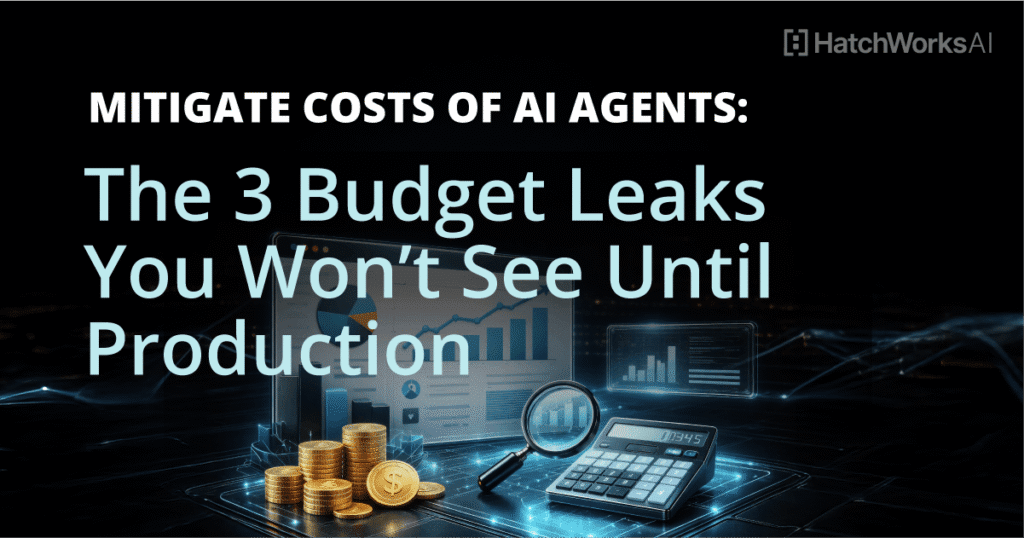
The three budget leaks in this article are called leaks for a reason. They are hidden costs that compound quietly through retry loops that multiply token usage, infrastructure that runs at full cost whether it’s needed or not, and human overhead that grows in the background as agents scale.
By the time they show up on an invoice, the money is already gone.
What follows are practical strategies for finding these leaks before they compound, measuring their real costs, and closing them in a way that makes AI agent spend predictable enough to defend in a budget conversation.
The Cost Per Outcome North Star
To truly mitigate AI agent costs, you’ll need to track cost per outcome in addition to your token spend.
The formula is straightforward:
(Token costs + tool call fees + infrastructure + human review time) ÷ successful completions
Tracking this number is the most reliable way to minimize costs without cutting the wrong things. It also makes a finance conversation possible.
“We reduced token spend by 20%” doesn’t answer whether the agent is worth running. “We reduced cost per resolved ticket from $0.43 to $0.18 while maintaining deflection rate” does.
Agentic AI makes this harder to track than standard LLM calls.
A single agent task can involve dozens of decisions, multiple tool calls, retries, and handoffs to multiple agents. Tracking business value at the outcome level rather than the call level is the only way to stay oriented as that complexity scales.
The three budget leaks below each affect this number directly.
📚 You may also like: AI Agent Design Best Practices.
Budget Leak #1: Token Waste, Context Bloat, and Retry Loops
Token spend rises silently in production because the sources of waste aren’t visible in your model provider’s dashboard.
What you see is the total spend. But you don’t see:
- which workflows are generating unnecessary retries
- which prompts are carrying 10x more context than the task requires
- or how much multi-agent chatter is happening between steps
Why agent costs spike: retries and background tool calls
Retries are the most common culprit.
A CRM API returns a 429, the agent retries five times before failing, and token consumption doubles on every affected run. At low volume, this is invisible, while at scale it becomes a significant portion of your bill.
Multi agent systems compound this further. When agents hand off to each other, each handoff carries context.
If that context isn’t trimmed between steps, token consumption grows with every hop. A three-agent chain passing a full conversation history at each step can consume four to five times the tokens the task actually requires.
Prompt and memory hygiene
The fastest lever most teams haven’t pulled is prompt engineering.
Structured prompts with strict output schemas reduce the number of turns an agent needs to complete a task. Loose prompts, on the other hand, invite elaboration, self-checking, and retry behavior that inflates both input tokens and output tokens.
Persistent memory systems are a particular area to watch.
The default pattern is to append new context to memory on every interaction. A better approach is to summarize periodically and retrieve only what’s needed for the current task. This keeps token consumption flat as usage grows rather than letting it scale linearly with conversation history. It also controls vector database growth, which is a silent storage cost that most teams underestimate until retention bills arrive.
📽️ You may also like: Prompt, Build, Repeat: The New Software Workflow
Caching and model routing
Prompt caching works well for high-repetition, routine tasks where the same or similar inputs appear frequently.
If 40% of your incoming requests are variations of the same query, caching those responses cuts AI spend on that workflow by a corresponding amount.
Model routing compounds the savings.
You can default to a smaller model for straightforward tasks and escalate to your expensive model only when confidence is low or the task is genuinely complex. Then, log the escalation rate as a key metric.
If it’s climbing, something upstream is sending tasks to the routing layer that shouldn’t need the full model.
For high volume tasks where response time isn’t critical, the batch API offered by most AI providers reduces per-call cost significantly. It’s an underused lever for workflows that process large volumes of similar inputs overnight or on a schedule. If you’re looking for a more comprehensive approach to reducing token waste and model spend across your agent workflows, our guide to AI agent cost optimization covers the full optimization toolkit in one place.
Budget Leak #2: Integration and Infrastructure Sprawl
The development costs of integrating AI agents into real systems go well beyond the model API. Compute, networking, storage, egress, tool licensing, and the ongoing engineering work of keeping integrations healthy all add up, and most of them don’t show up until you’re already in production.
Always-on infrastructure: agentic AI isn’t just serverless
Most teams architect their first agent as if it’s a stateless API call, which works fine in a prototype. But in production, agentic AI typically requires persistent workers, queues, orchestration services, and burst handling that run continuously rather than spinning up only when a request comes in.
If you’re building out that foundation and want a reference point for what a well-structured setup looks like before adding integrations, the n8n AI Agent Guide walks through the key production considerations.
Right-sizing compute to observed baselines rather than peak capacity is one of the more straightforward ways to control costs here, since most agentic AI deployments run well under their provisioned resources the majority of the time.
Cloud services across networking, security, logging, and monitoring each carry their own per-unit cost, and those costs compound with execution volume in ways that are hard to anticipate upfront.
Tool access and API sprawl
Every external AI tool an agent can access is its own cost surface, with per-call fees, rate limits, vendor pricing tiers, and auth requirements each adding overhead. When rate limits trigger retries, API call costs multiply quickly, and when a vendor changes their pricing tier, every workflow touching that tool is affected at once.
Centralizing policy across external tools behind a gateway layer, covering auth, rate limits, quotas, and caching in one place, reduces both spend and incident surface significantly compared to managing it per integration.
If you’re still evaluating which AI agent frameworks to build on, integration flexibility is worth weighing heavily in that decision, since the framework choice shapes how much custom work each new connection requires.
Each new data source an agent accesses also adds ongoing support overhead that most teams underestimate. Edge cases multiply per integration, and six months after launch, the cumulative maintenance burden often starts showing up as engineering time that wasn’t accounted for in the original cost model.
Storage, embeddings, and log retention
Storage costs tend to follow a predictable pattern where teams underestimate how fast they grow at agent scale, and by the time the bill arrives, the data is already there.
For most agentic AI deployments, the storage picture covers three areas: embeddings and vector database growth, execution logs, and observability data. All three scale with usage volume, and none of them feel expensive until they suddenly are.
A practical retention policy helps considerably here, for example, sampling 5% of logs for standard flows and keeping full logs only for regulated or high-risk workflows, then archiving rather than deleting where compliance requires it.
The total cost of a production agent deployment is never just the API fee, and storage tends to be the line item most organizations discover later than they’d like.
Budget Leak #3: Agent Management and Human Overhead
The human costs of running AI agents in production are the most consistently underestimated line item in any agent budget. QA, evaluation, approvals, incident response, compliance reviews, and ongoing tuning all require people time, and that time compounds as your agent footprint grows.
Agent management: ownership, guardrails, and approvals
Without clear ownership, agent costs drift. Prompts get edited without version control, tools get added without cost review, and nobody has a clear picture of what the agent is spending until the invoice arrives.
Defining operational ownership early means assigning someone to:
- Prompts and system message governance
- Tool access and cost review for new integrations
- Budget thresholds and alerting
- On-call responsibility when something breaks
Human oversight at key decision points, particularly for high-risk actions like payments, data changes, or external communications, prevents the kind of expensive mistakes that require manual cleanup afterward.
Clear escalation paths also prevent agents from looping on tasks they can’t complete, which is one of the more common sources of runaway token spend.
The patterns covered in orchestrating AI agents in production are built around exactly this kind of bounded ownership structure, and if you want a practical checklist for implementing guardrails for AI agents in your own workflows, we’ve covered that in depth separately.
Change management: adoption without cost chaos
When users don’t have clear guidance on what the agent is and isn’t suited for, they tend to route everything through it, including tasks where a simpler workflow would be faster and cheaper.
A phased rollout helps here:
- Pilot with one team and measure cost per outcome carefully
- Build a usage playbook based on what you learn
- Train teams on the distinction between tasks the agent handles well and tasks it doesn’t before expanding
Domain expertise needs to be encoded in prompts and policies upfront rather than improvised by users at runtime.
A scenario we see regularly is an ops manager discovering their team has been using an agent for both the routine tasks it handles well and the edge cases it handles poorly, with no guidance distinguishing the two, and human review time quietly absorbing the difference.
Ongoing evaluation: the budget line item everyone forgets
Agent performance degrades silently without a regular evaluation cadence. Prompts drift, data sources change, and model updates affect behavior in ways that only show up in output quality over time.
A lightweight cadence works well for most teams:
- Weekly reviews for the first six weeks after launch
- Biweekly or monthly once behavior has stabilized
- A clear trigger for when to escalate to a full audit
AI initiatives that skip this step tend to find their cost per outcome drifting upward quietly in the months following launch, which is exactly the kind of thing that’s hard to explain in a budget review without the data to show what changed.
Cost Monitoring: Dashboards, Quotas, and the 30-Day Baseline
You can’t control what you can’t see.
The teams that keep agent costs predictable over time are running agents with better visibility into where spend is going and clear triggers for when something is wrong.
What to put in your cost monitoring dashboard
The goal is to track costs at the outcome level, not just the token level. A dashboard that only shows total token spend tells you something is expensive. One that shows cost per outcome by workflow tells you what to fix.
The key metrics worth tracking from day one:
- Token spend by workflow and by agent
- Retries per tool and per integration
- Cost per outcome for each use case
- Escalation rate to your expensive model
- Top 10 costliest tasks by total spend this week
A useful way to pressure-test your dashboard is to ask whether it would have caught a problem before the invoice arrived. If a single workflow doubled its spend over three days, would you have been paged? If the answer is no, the alerting isn’t there yet.
Quotas, rate limits, and the 30-day baseline plan
Setting spend ceilings per agent, per team, and per use case is what turns cost monitoring into cost control. Visibility without limits is just reporting.
A practical first 30 days looks like this:
- Week 1: Instrument everything, freeze scope, establish your cost per outcome KPI, and acceptable bands. Build a top-5 workflow list by spend so you know where to focus first.
- Week 2: Implement prompt templates, memory trimming, and routing rules. Sample outputs to check for quality drift as you make changes.
- Week 3: Add caching and rate limits, fix retry loops, and consolidate tool access behind a gateway layer.
- Week 4: Introduce chargeback by team or use case. When teams can see their own spend, behavior changes naturally.
By the end of week four, you should have a clear baseline for cost per outcome across your active AI systems and enough visibility to make the next optimization decision with data rather than intuition.
For teams building this on top of n8n, our guide to n8n cost controls covers the specific guardrails, retry hygiene, and caching patterns from week 3 in detail, including the node-level implementation for each one.
HatchWorks AI: Building Cost-Effective Agents From Day One
The three budget leaks above are fixable at any stage, but the cost of fixing them goes up significantly once you’re already in production.
Retrofitting observability into a live agent, restructuring tool access behind a gateway, or retraining a team that’s already developed habits around an agent that has no usage guardrails. All of that takes considerably more time than building those things in from the start.
At HatchWorks AI, we build agentic AI automations with cost per outcome targets, instrumented workflows, and governance built into the architecture before the first deployment.
Alternatively, you can sign up for the AI Agent Opportunity Lab, which is a 90-minute working session where we identify which of the three leaks applies to your specific use case and leave you with a clear plan for addressing it. You’ll come away with:
- A cost per outcome baseline for your highest-priority use case
- A guardrail and instrumentation checklist mapped to your workflows
- An optimization backlog ranked by ROI
Sign up for either one here: Agentic AI Automation | AI Agent Opportunity Lab
FAQ: Mitigate Costs of AI Agents
What’s the fastest way to reduce agent costs this week?
The fastest path to controlling AI costs without rewriting everything is to instrument first so you know where spend is actually going, then cap the workflows driving the most waste, then add routing rules to reduce unnecessary model calls. Optimizing blind almost always targets the wrong thing.
How do I know if an agent is cost-effective versus a workflow?
Compare cost per outcome, failure rate, and human review overhead between the two options. Workflows win when the logic is deterministic, and the inputs are predictable. Agents earn their cost when judgment, multi-step coordination, or handling variability is genuinely required.
If you’re working through that decision, the general-purpose vs vertical AI agents guide covers the cost and complexity tradeoffs in more depth.
What should I track besides tokens?
Token consumption is the most visible cost, but rarely the whole story. The other key metrics worth tracking are retries per tool, tool call volume, latency, incident rate, and adoption-to-cost ratio by team.
Together, these give you a picture of whether the agent is performing efficiently or whether cost is accumulating in places the token count doesn’t show.
How do multiple agents affect costs?
Multi agent systems compound costs in ways that standalone AI agents don’t. Each handoff between agents carries context, and if that context isn’t trimmed between steps, token consumption grows with every hop. Coordination overhead, shared memory access, and parallel tool calls all add up in ways that are hard to anticipate from a single-agent cost model.