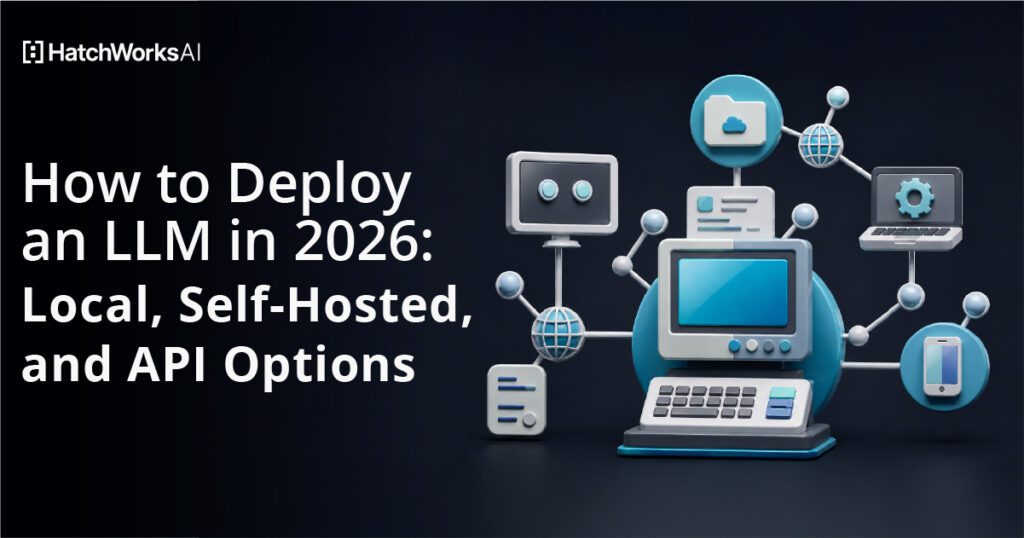
You deploy an LLM one of three ways, and the choice is mostly about volume, not ideology. Run it locally with Ollama or LM Studio when you need a private prototype on hardware you already own — a 4-bit 8B model needs roughly 6 GB of VRAM, and a 27B model fits in 24 GB. Run it self-hosted behind vLLM or SGLang when you are past prototype and pushing real concurrency. Call a hosted API when your volume sits below roughly 80–240 million tokens a month — about 82 million if you are replacing GPT-5.6 Sol, about 240 million if you are replacing Claude Sonnet 5 — because below that line renting a GPU 24/7 costs more than paying per token.
I have built this pipeline many times, for our own internal tools and for HatchWorks clients who could not send documents to a third party. This is the walkthrough I actually use: seven steps from an empty machine to a working retrieval-augmented chatbot, on the 2026 stack rather than the 2024 one. Check every model tag against the registry before you paste it — the registry moves faster than any blog post.
- The short version
- Why deploy your own LLM at all
- The three deployment paths compared
- What self-hosting actually costs in 2026
- What hardware you actually need
- How to deploy an LLM locally with RAG, in seven steps
- Moving from your laptop to production: vLLM vs SGLang
- Deploying on managed infrastructure
- Where these projects go wrong
- Security, and what "private" actually buys you
- When an API is the better choice
- Frequently asked questions
- Sources
The short version
- Local is now a one-line install. Ollama v0.32.6 (released August 4, 2026) exposes an OpenAI-compatible endpoint at
http://localhost:11434/v1/, so the same client code works locally and in production. LM Studio does the same at port 1234 with a GUI on top. - VRAM is the only hardware spec that matters. At Q4_K_M quantization and 8K context, Llama 3.1 8B needs about 6.2 GB, Qwen3 32B about 22.2 GB, and Llama 3.3 70B about 45.6 GB. If the model does not fit in VRAM, nothing else you tune will save you.
- vLLM and SGLang are close enough that workload shape decides. On a single H100 SXM5 serving Llama 3.3 70B FP8 at 100 concurrent requests, Spheron's March 2026 benchmark measured 2,400 output tokens/sec for vLLM against 2,460 for SGLang. On prefix-heavy workloads, SGLang's RadixAttention cache reports hit rates of 50–70% in mixed production traffic (Particula Tech, March 2026).
- The self-hosting break-even is ~2.7–8 million tokens per day. At about $1,440/month for an A100 80 GB, self-hosting overtakes a frontier API somewhere between 82 million tokens/month (against GPT-5.6 Sol at $5/$30 per 1M) and 240 million (against Claude Sonnet 5 at $2/$10). DevTk.AI (February 2026, updated August 2026) and Cloudzy (July 2026) both put the line at 160–256 million against the frontier tier as it was priced earlier in 2026. Against budget open-weight APIs like DeepSeek V4 Flash at $0.14/$0.28 per million tokens, break-even climbs past 6.8 billion tokens/month — effectively unreachable for most teams.
- Retrieval quality, not model choice, decides whether this works. In Firecrawl's February 2026 comparison, recursive character splitting at 400–512 tokens with 10–20% overlap gets 85–90% recall; semantic chunking reaches 0.913–0.919 recall but costs an embedding call per sentence.
- Qdrant or pgvector, not a bespoke vector store. qdrant-client 1.19.0 (August 4, 2026) gives you a purpose-built engine in three lines; pgvector 0.8.5 gives you HNSW indexing inside the Postgres you already run and back up.
Why deploy your own LLM at all
Three reasons hold up in 2026, and one no longer does.
Data residency. If your documents cannot leave your VPC — patient records, source code under NDA, pre-release financials — the question is already answered. This is the most common reason clients call us.
Control of the upgrade cycle. A hosted model can change under you. When a provider deprecates a version or shifts behavior, your evals move and you did not touch anything. A weights file on your disk does not do that.
Unit economics at scale. Real, but only above the volumes below.
The argument that no longer holds is raw price at low volume. This article originally quoted GPT-4 at $10 per million input tokens and $30 per million output. As of August 2026, OpenAI's GPT-5.6 family lists Terra at $2 input and $12 output and Luna at $0.20 and $1.20, Anthropic lists Claude Sonnet 5 at $2 and $10, and Gemini 2.5 Flash-Lite sits at $0.10 and $0.40 — between one and two orders of magnitude cheaper. If your only reason for self-hosting was the bill, re-run the math before you buy a GPU.
Still deciding whether you need your own weights? Our guide to how large language models actually work covers the fundamentals, and the difference between inference, training, and fine-tuning is worth reading before you assume you need to fine-tune. Usually you don't. You need retrieval.
The three deployment paths compared
| Local (Ollama, LM Studio) | Self-hosted (vLLM, SGLang) | Hosted API | |
|---|---|---|---|
| Best for | Prototypes, single-user tools, air-gapped demos | Multi-tenant apps, batch pipelines, steady high volume | Anything below ~2.7M tokens/day, and usually up to ~8M |
| Setup time | Minutes | Days, plus ongoing ops | Minutes |
| Concurrency | 1–4 users realistically | Hundreds of concurrent requests | Provider's problem |
| Cost shape | Sunk hardware cost (RTX 5090 32 GB, about $4,100 in July 2026) | ~$504/mo for an L4 24 GB up to ~$2,520/mo for an H100 80 GB, 24/7 | Per token, $0.10–$5 input per million |
| Hidden cost | Your own time | DevOps at ~$750–$3,000/mo, pushing true cost to 1.3–2.0× raw GPU rental | Lock-in, model deprecation |
| Biggest weakness | Falls over under concurrency | You now operate an inference platform | Data leaves your perimeter |
Which deployment path fits you?
Pick a path for when to use it, a representative monthly cost, the two tradeoffs that bite first, and the tool I would actually reach for.
Local — run it on hardware you already own
- When to use it
- Prototypes, single-user internal tools, air-gapped demos, and any case where the documents must not leave the machine. Realistic concurrency is 1–4 users.
- Representative monthly cost
- Sunk hardware cost — an RTX 5090 32 GB was about $4,100 in July 2026. No recurring line item, which is exactly why it hides the real cost.
- Top two tradeoffs
-
- Falls over under concurrency. It is one process serving one queue.
- The hidden cost is your own time — you are the ops team.
- Recommended tool
- Ollama v0.32.6, which serves an OpenAI-compatible endpoint at
http://localhost:11434/v1/. Use LM Studio instead if a non-developer is driving it.
Self-hosted — your weights, your GPU, your pager
- When to use it
- Past prototype: multi-tenant apps, batch pipelines, and steady volume above roughly 3–8 million tokens a day, depending on which frontier API you are replacing. Handles hundreds of concurrent requests.
- Representative monthly cost
- $504/mo for an L4 24 GB up to $2,520/mo for an H100 80 GB, running 24/7, plus DevOps at $750–$3,000/mo, which pushes true cost to 1.3–2.0× the raw GPU line.
- Top two tradeoffs
-
- You now operate an inference platform: model upgrades, CUDA driver drift, and the pager.
- Days of setup, and the 24/7 rental only pays off at high utilization — 60–70% is the assumption doing all the work in every break-even chart.
- Recommended tool
- vLLM 0.27.0 for unique-prompt batch work, non-NVIDIA accelerators, and the widest model coverage. SGLang 0.5.9 for prefix-heavy traffic: multi-turn chat, RAG with a fixed system prompt, agent loops, strict JSON.
Hosted API — someone else's GPU
- When to use it
- Anything below the break-even, which is where most teams live. Also the right answer pre-product-market-fit, when nobody will own a CUDA upgrade at 2 a.m., or when you need frontier reasoning no sub-32B open model matches.
- Representative monthly cost
- $0.10–$5 per 1M input tokens, metered. Reference point: self-hosting only overtakes a frontier API at roughly 82M tokens/month against GPT-5.6 Sol and 240M against Claude Sonnet 5.
- Top two tradeoffs
-
- Your data leaves your perimeter. For regulated documents that ends the conversation.
- Lock-in and model deprecation: the model can change under you and move your evals.
- Recommended tool
- Any OpenAI-compatible provider endpoint. Keep the wire format identical to local so switching paths is one
base_urledit.
Costs are 2026 reference figures from the comparison table above, not quotes. Re-run the break-even against your own blended input/output ratio before committing to hardware.
For most teams the third column wins. DevTk.AI's cost breakdown says it flatly: "For the vast majority of teams in 2026, API access is cheaper than self-hosting after accounting for the full cost picture." I agree, and I tell clients so before they spend money with us. The rest of this article is for teams whose answer is genuinely one of the first two columns.
What self-hosting actually costs in 2026
The formula is simple: break-even tokens per month ≈ monthly GPU cost ÷ your blended API price per token. What surprises people is where that lands.
| You are replacing | Break-even volume | Daily equivalent |
|---|---|---|
| GPT-5.6 Sol ($5 / $30 per 1M) | ~82M tokens/month | ~2.7M tokens/day |
| Claude Opus 5 ($5 / $25 per 1M) | ~96M tokens/month | ~3.2M tokens/day |
| GPT-5.6 Terra ($2 / $12 per 1M) | ~206M tokens/month | ~6.9M tokens/day |
| Claude Sonnet 5 ($2 / $10 per 1M) | ~240M tokens/month | ~8M tokens/day |
| Gemini 2.5 Flash-Lite ($0.10 / $0.40 per 1M) | ~5.76B tokens/month | ~192M tokens/day |
| DeepSeek V4 Flash ($0.14 / $0.28 per 1M) | ~6.86B tokens/month | ~229M tokens/day |
Those figures assume a 70B-class model on an A100 80 GB rented at about $2.00 an hour (DevTk.AI, July 2026) — roughly $1,440 a month running 24/7 — at a blended 50/50 input-output ratio. Divide that $1,440 by your own blended price per token and you have your own number. Prices are the August 2026 list rates: Anthropic moved Sonnet 5's $2/$10 introductory pricing to permanent on August 10, 2026, and OpenAI's GPT-5.6 family (Sol, Terra, Luna) shipped July 9, 2026. Cloudzy's July 2026 analysis landed in the same neighborhood against the frontier tier as it was then priced: 160–256 million tokens per month at 60–70% GPU utilization, and 2.5–7 billion-plus tokens per month against budget open-weight APIs, which it called "effectively unreachable solo."
Two things from experience. That utilization assumption is doing enormous work — a GPU you rent 24/7 and use during business hours is one you are paying triple for. And the DevOps line is chronically underbudgeted: call it 10–20 hours a month once you count model upgrades, CUDA driver drift, and the pager.
What hardware you actually need
VRAM is the gate. Everything else is a nice-to-have. Here is what fits, measured at Q4_K_M quantization with 8K context:
| Model | Quantization | VRAM at 8K context |
|---|---|---|
| Llama 3.2 3B | Q4_K_M | 3.58 GB |
| Qwen3 4B | Q4_K_M | 4 GB |
| Qwen3.5 4B | Q4_K_M | ~4–5 GB (est.) |
| Llama 3.1 8B | Q4_K_M | 6.2 GB |
| Qwen3 14B | Q4_K_M | 10.7 GB |
| Gemma 4 12B | Q4_K_M | ~9–11 GB (est.) |
| gpt-oss 20B | Q4_K_M | 11.95 GB |
| Gemma 3 12B | Q4_K_M | 12.4 GB |
| Qwen3.6 27B | Q4_K_M | ~16–20 GB (est.) |
| Qwen3 32B | Q4_K_M | 22.2 GB |
| Gemma 3 27B | Q4_K_M | 22.5 GB |
| Gemma 4 31B | Q4_K_M | ~20–24 GB (est.) |
| Llama 3.3 70B | Q4_K_M | 45.6 GB |
Measured rows are LocalLLM.in's (February 2026). The four rows marked (est.) are the current-generation models this article actually recommends; their figures are 4-bit estimates from the Step 5 comparison table and the packaged Ollama sizes (qwen3.6:27b downloads at 17 GB), not measurements, so treat them as planning numbers until you have run them on your own card.
The rough tiering: 8 GB runs 7–8B models at 40+ tokens/sec, 12 GB runs up to 14B only if the model itself is small enough — Qwen3 14B is 10.7 GB at 8K, but Gemma 3 12B is already 12.4 GB and overruns a 12 GB card once you add backend overhead — 24 GB runs 22–35B, and 70B needs 48 GB or more. Consumer pricing in late July 2026 put the RTX 5090 (32 GB GDDR7) around $4,100, the RTX 5080 (16 GB) around $1,400, and the RTX 5070 Ti (16 GB) around $980.
The trap is KV cache. Those numbers are at 8K context. An 8B model at 32K context needs roughly 5 GB for KV cache alone on top of weights (LocalLLM.in puts it at ~0.3 GB at 2K and ~20 GB at 128K), plus 0.5–1 GB of backend overhead. I have watched teams size a box against the weights file and then discover their long-context RAG prompts do not fit. Budget headroom.
Will it fit? VRAM and context calculator
Pick your GPU memory and the context length you actually intend to serve. The result is the largest model class that still fits once KV cache and backend overhead are counted.
- 8 GB — 7–8B models at Q4_K_M, 40+ tokens/sec, short context only.
- 12 GB — up to 14B at Q4_K_M (Qwen3 14B is 10.7 GB at 8K); Gemma-class 12B models are already 12.4 GB and will not fit.
- 16 GB — 14B comfortably, 20B at short context.
- 24 GB — 22–35B at Q4_K_M (Qwen3 32B is 22.2 GB at 8K, so headroom is thin).
- 32 GB — 27–32B with real KV cache headroom.
- 48 GB and up — 70B at Q4_K_M (45.6 GB at 8K).
VRAM figures are measured at Q4_K_M quantization with 8K context, from LocalLLM.in, "Ollama VRAM Requirements: Complete 2026 Guide to GPU Memory for Local LLMs", February 2026, except the Qwen3.6 and Gemma 4 entries, which are 4-bit estimates from this article's Step 5 table and the packaged Ollama download sizes. KV cache above 8K is a linear estimate anchored on the sourced figure of ~5 GB for an 8B model at 32K context; a fixed 0.75 GB is added for backend overhead (the observed range is 0.5–1 GB). Real KV cache scales with layers × KV heads × head dimension rather than with parameter count, so two models of the same size can differ several-fold: treat the long-context totals here as indicative. These are planning estimates, not benchmarks — verify on your own hardware before you buy it.
How to deploy an LLM locally with RAG, in seven steps
We are building a chatbot that answers questions about your own documents, running entirely on your machine. That is retrieval-augmented generation: the model does not memorize your data, it reads relevant excerpts at query time. For the architecture rather than the command line, our RAG Accelerator page covers how we scope these for clients.
Step 1: Install the stack and set up your environment
Ollama is the fastest path to a local model. LM Studio is better if you want to browse and swap models in a GUI, or if the person running it is not a developer.
# macOS / Linux
curl -fsSL https://ollama.com/install.sh | sh
ollama --version        # confirm 0.32.x or newer

# Pull a chat model and an embedding model
ollama pull qwen3.5:4b          # start here while you are still fixing retrieval (3.4 GB)
ollama pull qwen3.6:27b         # the single-GPU default once your evals are stable (17 GB)
ollama pull qwen3-embedding:0.6b

# See what is loaded and where it is running
ollama ps
Check the exact tag on the Ollama library page before you run pull. Tags change; the families named here are supported in Ollama v0.32.6 (August 4, 2026), whose model blurb names Kimi-K2.6, GLM-5.2, MiniMax, DeepSeek, gpt-oss, Qwen and Gemma. None of those are new in that release — Qwen3.5 landed in February 2026, Qwen3.6 in April 2026, Gemma 4 on April 2, 2026 — and Kimi-K3 is currently a cloud-only kimi-k3:cloud tag rather than a local pull.
Then the Python side:
python -m venv .venv && source .venv/bin/activate
pip install "qdrant-client>=1.18" openai langchain-text-splitters pypdf
Notice what is not there. No torch, no transformers, no faiss-cpu, no manual CUDA wrangling. Ollama handles GPU offload and speaks the OpenAI wire format, so the only SDK you need is openai. That alone removes most of what used to make Step 1 the hardest step.
Step 2: Build your knowledge base
This step decides whether the whole thing works, and it is the step everyone rushes.
Collect the documents that actually answer the questions users will ask — not everything you have. Then split them. Current guidance converges on 400–512 tokens per chunk with 10–20% overlap, with 256–512 for factoid lookups and 1,024+ for analytical questions.
from pathlib import Path

from langchain_text_splitters import RecursiveCharacterTextSplitter
from pypdf import PdfReader

def load(folder: str) -> dict[str, str]:
    """Return {path: extracted text} for the PDFs, text and markdown in a folder."""
    docs = {}
    for path in Path(folder).rglob("*"):
        if path.suffix.lower() == ".pdf":
            docs[str(path)] = "\n".join(
                page.extract_text() or "" for page in PdfReader(str(path)).pages
            )
        elif path.suffix.lower() in {".txt", ".md"}:
            docs[str(path)] = path.read_text(encoding="utf-8")
    return docs

documents = load("./knowledge_base")   # swap in your own loader if your sources are not files

splitter = RecursiveCharacterTextSplitter(
    chunk_size=2000,      # ~500 tokens
    chunk_overlap=200,    # 10% overlap
    separators=["\n\n", "\n", ". ", " ", ""],
)
chunks = [
    {"text": t, "source": path}
    for path, text in documents.items()
    for t in splitter.split_text(text)
]
Strategy choice, honestly. In Firecrawl's February 2026 comparison, recursive character splitting gets 85.4–89.5% recall and is the right default. Semantic chunking reaches 0.913–0.919 recall — 2 to 6 points better, not the "up to 9%" you will see quoted, which is Chroma Research's spread between the best and worst strategies overall, as reported by Firecrawl — but it embeds every sentence, so you pay on every ingest. A January 2026 analysis cited in the same Firecrawl roundup found sentence-level chunking matched semantic up to about 5,000 tokens at a fraction of the cost, which punctures the assumption that semantic is automatically worth it. For paginated PDFs where the page break carries meaning, page-level chunking won NVIDIA's 2024 benchmark at 0.648 accuracy with the lowest variance. Start recursive, measure, change only if your evals say to.
If your documents are duplicated, undated, or contradicting each other, no chunking strategy rescues that. Our AI data readiness and governance assessment exists to catch it before you build on sand.
Step 3: Embed your documents into a vector database
Two good answers here, and the right one depends on what you already operate.
Qdrant if you want a purpose-built vector engine. qdrant-client 1.19.0 shipped on August 4, 2026 (1.18.0, in May 2026, is the floor the pin above targets).
from qdrant_client import QdrantClient
from qdrant_client.models import Distance, VectorParams, PointStruct
from openai import OpenAI

EMBED_DIM = 1024   # qwen3-embedding:0.6b outputs 1024 dimensions

ollama = OpenAI(base_url="http://localhost:11434/v1/", api_key="ollama")
qdrant = QdrantClient(host="localhost", port=6333)

qdrant.create_collection(
    collection_name="handbook",
    vectors_config=VectorParams(size=EMBED_DIM, distance=Distance.COSINE),
)

def embed(texts: list[str]) -> list[list[float]]:
    resp = ollama.embeddings.create(model="qwen3-embedding:0.6b", input=texts)
    return [d.embedding for d in resp.data]

vectors = embed([c["text"] for c in chunks])

qdrant.upsert(
    collection_name="handbook",
    points=[
        PointStruct(id=i, vector=v, payload={"text": c["text"], "source": c["source"]})
        for i, (c, v) in enumerate(zip(chunks, vectors))
    ],
)
pgvector if you already run Postgres. Version 0.8.5 gives you HNSW indexing next to your relational data, in a database your team already backs up and monitors. That operational simplicity beats a marginally faster engine more often than people admit.
CREATE EXTENSION IF NOT EXISTS vector;

CREATE TABLE handbook (
  id        bigserial PRIMARY KEY,
  source    text,
  chunk     text,
  embedding vector(1024)
);

CREATE INDEX ON handbook USING hnsw (embedding vector_cosine_ops);
One constraint: pgvector indexes vector columns up to 2,000 dimensions and halfvec up to 4,000. Check that ceiling before picking a high-dimension embedder — qwen3-embedding:8b outputs 4,096 dimensions and will not index as a plain vector.
Picking the embedding model. From Morph's June 2026 MTEB benchmark of Ollama-hosted embedders: qwen3-embedding:0.6b (1,024 dimensions, 639 MB) scored 64.33 on multilingual MTEB with a 32K context window; nomic-embed-text is smaller at 274 MB and 768 dimensions, scoring 62.28 English with 8,192 context; mxbai-embed-large scores higher on English at 64.68 but caps at 512 tokens, too short for the chunk sizes above. I default to qwen3-embedding:0.6b because its context window matches how I chunk.
Step 4: Embed the question and retrieve the matching chunks
Same embedding model, same vector space. Using a different model for queries than for documents is the most common silent failure in RAG: it produces plausible-looking garbage rather than an error.
question = "What is our policy on contractor equipment?"

hits = qdrant.query_points(
    collection_name="handbook",
    query=embed([question])[0],
    limit=6,
    with_payload=True,
).points

context = "\n\n---\n\n".join(h.payload["text"] for h in hits)
sources = {h.payload["source"] for h in hits}
Note query_points, not the older search method. The equivalent in pgvector is a single ordered select:
SELECT chunk, source
FROM handbook
ORDER BY embedding <=> $1
LIMIT 6;
The model was never the hard part. Every RAG project I have been called in to rescue was failing at retrieval, not at inference.
— David Berrio, Senior ML/AI Engineer, HatchWorks AI
If you would rather validate this on your own data than on a sample handbook, our Gen AI Solution Accelerator turns a concept into a working prototype with a roadmap for scaling it. Bring your documents; we bring the pipeline.
Step 5: Pick an open-weight model
The 2024 default in this article was Mistral 7B OpenOrca. It is fine, and it is two years and several generations behind.
For a single GPU in 2026 the sub-32B open-weight field is genuinely strong. Artificial Analysis's April 13, 2026 evaluation ranked Qwen3.5 27B (reasoning) highest at an intelligence score of 42, with Gemma 4 31B at 39 and Qwen3.5 35B A3B at 37. Nine days later Qwen shipped Qwen3.6-27B (April 22, 2026), which is what I would pull today: same 27B dense shape and Apache 2.0 license, 262K native context, and 77.2% on SWE-bench Verified per its model card. Both it and Gemma 4 31B fit on a single H100 80 GB in BF16, and quantized they run on a well-specced laptop.
| Model | Params | License | Context | Rough VRAM at 4-bit |
|---|---|---|---|---|
| Qwen3.5 4B | 4B | Apache 2.0 | 262K native (Ollama packages the tag at 256K) | ~4–5 GB |
| Gemma 4 12B | 12B | Apache 2.0 | 256K | ~9–11 GB |
| gpt-oss-20b | 20B | Apache 2.0 | 131K | ~12 GB |
| Qwen3.6 27B | 27B dense | Apache 2.0 | 262K native (Ollama packages the tag at 256K) | ~16–20 GB |
| Gemma 4 31B | 30.7B dense | Apache 2.0 | 256K | ~20–24 GB |
| gpt-oss-120b | 120B | Apache 2.0 | 131K | ~80 GB |
Gemma 4 shipped April 2, 2026 under Apache 2.0; Qwen3.5 landed February 16, 2026 and Qwen3.6 followed in April 2026, both also Apache 2.0. That licensing matters more than a benchmark point or two if you are shipping commercially — read the license before you fall in love with a model.
Practical advice: start at 4B, not 27B. Get retrieval right at a size that iterates in seconds, then scale the generator up once your evals are stable. Teams that start at 27B spend their first week fighting VRAM instead of fixing chunking. Steps 6 and 7 below name qwen3.6:27b because that is where you land — while you are still tuning chunking, run the qwen3.5:4b you pulled in Step 1 instead. Qwen3.6 only ships at 27B and 35B-A3B, so the small iteration model stays on the 3.5 line; the tag is the only string that changes.
Step 6: Load the model onto your GPU
This used to be the ugliest step. The old version of this article had you setting n_gpu_layers by hand in a llama.cpp binding and guessing how many layers would fit. That guessing game is gone — Ollama detects your GPU and offloads automatically. Your job is to verify it actually did.
ollama run qwen3.6:27b "hello" --verbose
ollama ps
ollama ps is the check that matters: it lists running models with their size and processor assignment. You want 100% GPU. A CPU percentage means part of the model spilled to system RAM and your tokens-per-second just fell off a cliff — drop the quantization, shrink the context window, or pick a smaller model.
Step 7: Assemble the prompt and return the answer
Retrieved context goes in, a grounded answer comes out. The system prompt is where you buy most of your reliability.
SYSTEM = (
    "Answer using ONLY the CONTEXT below. "
    "If the context does not contain the answer, say you do not know. "
    "Cite the source filename for every claim you make."
)

resp = ollama.chat.completions.create(
    model="qwen3.6:27b",
    messages=[
        {"role": "system", "content": SYSTEM},
        {"role": "user",
         "content": f"CONTEXT:\n{context}\n\nQUESTION: {question}"},
    ],
    temperature=0.2,
)

print(resp.choices[0].message.content)
print("Sources:", sources)
Two things to hold onto. temperature=0.2, because you want retrieval fidelity rather than creativity. And "say you do not know" is not decoration — without it, a model handed thin context fills the gap confidently. That failure mode is worth understanding properly; we wrote about how AI models misbehave and reward-hack their instructions.
That is the whole loop. Wrap it in FastAPI or Streamlit and you have a working internal tool.
Moving from your laptop to production: vLLM vs SGLang
Ollama is excellent for one user. It is not built to serve four hundred. When you cross that line you switch engines. Both of these speak the same OpenAI-compatible protocol, so the client code from Step 7 does not change — only the base_url.
vLLM (0.27.0, released August 10, 2026; Python 3.10–3.14):
pip install vllm
vllm serve Qwen/Qwen3-4B --port 8000
SGLang (0.5.9; default port 30000):
pip install uv && uv pip install sglang
python3 -m sglang.launch_server \
  --model-path Qwen/Qwen3-4B \
  --host 0.0.0.0 --port 30000
Now the careful part, because the published benchmarks disagree and anyone telling you one engine simply wins is selling something.
Spheron's March 2026 benchmark on a single H100 SXM5 80 GB serving Llama 3.3 70B in FP8 found near-parity: at 100 concurrent requests, vLLM produced 2,400 output tokens/sec and SGLang 2,460, with TensorRT-LLM ahead of both at 2,780. p50 TTFT was 740 ms for vLLM and 710 ms for SGLang. Cold start was ~62 seconds for vLLM and ~58 for SGLang against roughly 28 minutes for TensorRT-LLM's engine compilation — which is why we rarely reach for TensorRT-LLM despite it winning on paper.
Particula Tech's March 2026 comparison, on Llama 3.1 8B, reported a much larger gap: 16,200 tokens/sec for SGLang against 12,500 for vLLM, a 29% advantage, with TTFT of 79 ms versus 103 ms.
Both can be true. The gap widens on smaller models and on workloads with heavy shared prefixes — exactly where SGLang's RadixAttention cross-request prefix cache pays off. Reported hit rates run 75–90% for multi-turn chat and 50–70% for mixed production traffic, with up to 6.4× throughput on prefix-heavy patterns. It also does constrained decoding faster, which matters if you force JSON.
| Pick | When |
|---|---|
| vLLM | Unique-prompt batch jobs, non-NVIDIA accelerators, broad model coverage, you want the largest community |
| SGLang | Multi-turn chat, RAG with a fixed system prompt, agent loops, strict JSON schemas |
| Neither | You have not yet measured your prefix-reuse rate. Measure first; the answer falls out of the data |
If your architecture is agent-shaped rather than chat-shaped the prefix-cache argument gets stronger; our piece on orchestrating AI agents covers the shape of those workloads.
Deploying on managed infrastructure
Want your own weights without operating the GPU? Managed endpoints are the middle path. Amazon SageMaker AI added OpenAI-compatible API support for real-time inference endpoints in May 2026, exposing an /openai/v1 path:
https://runtime.sagemaker.<REGION>.amazonaws.com/endpoints/<ENDPOINT_NAME>/openai/v1AWS demonstrated it with Qwen3-4B on the SageMaker vLLM Deep Learning Container. Practically, the same client code points at local Ollama, self-hosted vLLM, or a SageMaker endpoint — you switch by editing one string. Design for that from the start.
Where these projects go wrong
Every failure I have been called in to fix has been one of these. None of them were the model.
Six ways a local LLM project fails
All six are retrieval or memory problems, not model problems. Open a row for the symptom, the root cause, and the fix.
1.Documents and queries embedded with different models+
Symptom Retrieval returns confident, plausible, wrong chunks. Nothing errors, nothing logs, and you spend a week blaming the LLM.
Root cause Documents were embedded with one model and queries with another, so the two vectors live in different spaces. In some pairings the dimensions even match by coincidence, which removes the one error you would have got for free.
Fix Pin one embedding model name in config and read it from there in both the ingest and query paths. If you change embedder, re-index everything — there is no partial migration.
2.The model silently spilled to CPU+
Symptom Throughput falls off a cliff — tokens per second drop by an order of magnitude — but the model loads fine and answers correctly.
Root cause Weights plus KV cache exceeded VRAM, so the backend offloaded part of the model to system RAM rather than failing.
Fix Run ollama ps and read the processor column. You want 100% GPU; any CPU percentage is the diagnosis. Drop the quantization, shrink the context window, or pick a smaller model.
3.KV cache blows the VRAM budget at long context+
Symptom It works in testing at short prompts, then real RAG prompts with six retrieved chunks either spill to CPU or fail outright.
Root cause The box was sized against the weights file. Published VRAM tables are quoted at 8K context; an 8B model at 32K needs roughly 5 GB of KV cache on top of weights, plus 0.5–1 GB of backend overhead.
Fix Size for the longest context you will actually serve, not the average one, and cap the context window explicitly so a long prompt fails loudly instead of degrading quietly.
4.Chunks too large, so retrieval returns mostly irrelevant text+
Symptom Answers are vague and miss the specific detail that is definitely in the source document. Inspect the retrieved context and most of it is unrelated to the question.
Root cause One embedding vector has to represent the whole chunk. Make the chunk big enough and the vector averages away the one paragraph that mattered.
Fix Start at 400–512 tokens with 10–20% overlap — 256–512 for factoid lookups, 1,024+ for analytical questions. Then measure recall on a real question set before changing anything else.
5.No "say you don't know" instruction, so the model fabricates+
Symptom When retrieval returns thin or off-topic context, the answer is fluent, specific, sourced-looking, and invented.
Root cause A model handed insufficient context will fill the gap unless you tell it not to. Nothing in the pipeline penalises a confident guess.
Fix Put it in the system prompt: answer using only the supplied context, say you do not know when it is not there, and cite the source filename for every claim. Hold temperature near 0.2 so you get fidelity rather than creativity.
6.Embedding dimensions above the pgvector index ceiling+
Symptom CREATE INDEX is rejected on the embedding column, or it was never created and every query is a sequential scan that gets slower with each ingest.
Root cause pgvector indexes vector columns up to 2,000 dimensions and halfvec up to 4,000. High-dimension embedders blow straight past that — qwen3-embedding:8b outputs 4,096 dimensions.
Fix Check the embedder's output dimensions before you design the schema. Stay at or below 2,000 for a plain vector column (qwen3-embedding:0.6b is 1,024), use halfvec up to 4,000, or move that collection to Qdrant.
The one worth calling out explicitly is the first. Embed documents with nomic-embed-text and queries with qwen3-embedding:0.6b and nothing errors — in some pairings the dimensions even match by coincidence. You just get quietly wrong retrieval, and you spend a week blaming the LLM.
Security, and what "private" actually buys you
Running weights on your own hardware removes one risk: your document text never transits a third party. Real, and sometimes decisive. It does not remove the others.
Prompt injection through ingested documents works exactly the same locally — if an attacker can get text into your knowledge base, they can get instructions into your context window. Access control still has to be enforced at retrieval time, per user, or your RAG index becomes an efficient way to leak documents across permission boundaries. And a local model with no logging is a model you cannot audit.
Treat the vector database as a production data store carrying the same classification as its source documents. That is the part teams skip.
When an API is the better choice
I have spent this article explaining how to self-host, so let me be direct about when not to. Use an API if you need frontier reasoning no sub-32B open model matches, if nobody on your team will own CUDA driver upgrades at 2 a.m., or if you are pre-product-market-fit and your infrastructure choices should stay cheap to reverse.
The strongest self-hosting case is narrow: regulated data that cannot leave your perimeter, sustained volume above the break-even, or a product moat built on control of the model layer. If your differentiation is the workflow rather than the weights, our take on where AI product moats actually come from argues you should spend the engineering budget elsewhere. I think that is usually right.
Frequently asked questions
How much VRAM do I need to run an LLM locally?
At Q4_K_M quantization with 8K context, plan on about 6.2 GB for an 8B model, 10.7 GB for 14B, 22.2 GB for 32B, and 45.6 GB for 70B. Add roughly 5 GB if you push an 8B model to 32K context, since KV cache grows with context length. If the total does not fit in VRAM, the model spills to system RAM and throughput collapses.
Is it cheaper to self-host an LLM or use an API in 2026?
An API is cheaper below roughly 80–240 million tokens per month, about 2.7–8 million a day, depending on which frontier model you are replacing: about 82 million against GPT-5.6 Sol at $5/$30 per million tokens, about 240 million against Claude Sonnet 5 at $2/$10. That math assumes an A100 80 GB at about $1,440 a month; the wider GPU market runs from $504/month for an L4 to $2,520/month for an H100, and you should add 30–100% for DevOps and infrastructure before you decide. Against budget open-weight APIs near $0.14 per million input tokens, break-even sits above 6.8 billion tokens a month and is effectively out of reach.
Should I use vLLM or SGLang?
Use SGLang if your traffic reuses long prefixes — multi-turn chat, RAG with a fixed system prompt, agent loops — or if you need fast constrained JSON. Use vLLM if your prompts are mostly unique, you need non-NVIDIA hardware, or you want the broadest model coverage. On a large dense model at high concurrency they measured within about 3% of each other, so workload shape decides, not the engine.
Can I run an LLM without a GPU?
Yes, and it is usable for small models. A 3–4B model at Q4_K_M needs under 4 GB and runs on CPU or Apple Silicon at acceptable speed for single-user work. Above about 8B, CPU inference is too slow for interactive use, and serving multiple users is not realistic without a GPU.
Do I need to fine-tune the model for my own data?
Usually no. RAG gets you grounded answers over your documents without touching the weights, and the index updates the moment you add a document. Fine-tuning changes behavior, format, or tone — it does not reliably teach facts. Start with RAG and fine-tune only once you can name the specific behavior RAG cannot give you.
Deploying the model is the easy half; wiring it into a workflow people actually use is the other half. Our Forward Deployed Engineers embed with your team to build and ship production AI systems on your infrastructure, not a demo on ours.
Sources
- Ollama, "Releases — ollama/ollama (v0.32.6)", August 2026, github.com/ollama/ollama/releases
- Ollama, "OpenAI compatibility", accessed August 2026, docs.ollama.com/api/openai-compatibility
- Ollama, "CLI reference", accessed August 2026, docs.ollama.com/cli
- Python Package Index, "vllm 0.27.0", August 2026, pypi.org/project/vllm
- SGLang project, "Installation (docs/get_started/install.md)", accessed August 2026, github.com/sgl-project/sglang
- Python Package Index, "qdrant-client (v1.19.0, released August 4, 2026)", August 2026, pypi.org/project/qdrant-client
- pgvector, "pgvector v0.8.5 README", accessed August 2026, github.com/pgvector/pgvector
- Amazon Web Services, "Announcing OpenAI-compatible API support for Amazon SageMaker AI endpoints", May 2026, aws.amazon.com
- Artificial Analysis, "Sub-32B Open Weights", April 2026, artificialanalysis.ai
- Qwen, "Qwen3.6-27B model card", April 2026, huggingface.co/Qwen/Qwen3.6-27B
- Ollama, "qwen3.6 model library", accessed August 2026, ollama.com/library/qwen3.6
- Anthropic, "Pricing — Claude Platform Docs", accessed August 2026, platform.claude.com
- BenchLM.ai, "OpenAI API Pricing (August 2026)", August 2026, benchlm.ai/openai/api-pricing
- Hugging Face, "The Best Open Source and Open-Weight LLM Models to Run Locally in 2026", May 2026, huggingface.co
- BetterClaw, "Gemma 4 vs Qwen 3.5: Every Size Compared (2026)", August 2026, betterclaw.io
- LocalLLM.in, "Ollama VRAM Requirements: Complete 2026 Guide to GPU Memory for Local LLMs", February 2026, localllm.in
- Newegg Insider, "Best GPUs for AI and Local LLMs in 2026: VRAM Is King", July 2026, newegg.com/insider
- Spheron, "vLLM vs TensorRT-LLM vs SGLang: Which Is Fastest? (H100 Benchmarks, 2026)", March 2026, spheron.network
- Particula Tech, "SGLang vs vLLM in 2026: Benchmarks, Architecture, and When to Use Each", March 2026, particula.tech
- DevTk.AI, "Self-Host LLM vs API: Real Cost Breakdown 2026", February 2026 (updated August 2026), devtk.ai
- Cloudzy, "Self-Hosting an LLM vs. API: Real Cost Math (2026)", July 2026, cloudzy.com
- Firecrawl, "Best Chunking Strategies for RAG (and LLMs) in 2026", February 2026, firecrawl.dev
- Morph, "Best Ollama Embedding Models 2026: 7 Benchmarked by MTEB Score, VRAM, and Dimensions", June 2026, morphllm.com
- PromptQuorum, "LM Studio & Ollama OpenAI API Docs: Setup Guide (2026)", April 2026 (updated July 2026), promptquorum.com
Let’s Build Your AI Strategy
Meet with our AI experts to explore your goals and challenges.
We’ll work with you to create a tailored AI Strategy and Roadmap that turns AI into ROI.