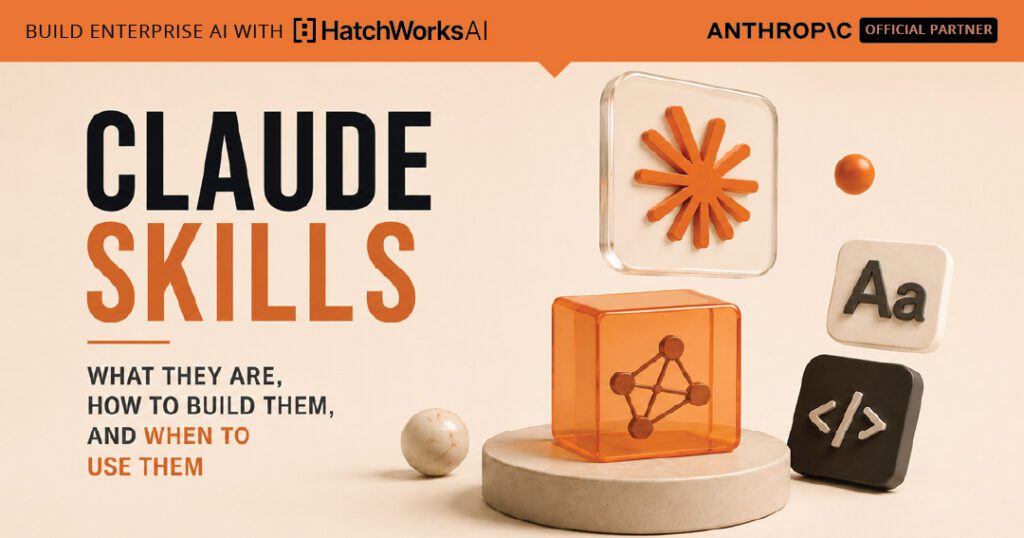
Claude Skills are the answer to a problem every team using AI hits eventually: the same context, the same instructions, the same setup, retyped at the start of every new conversation. Useful work depends on a layer of expertise that's hard to keep persistent, and until late 2025, there was no clean way to make it stick. Anthropic released Skills in October 2025, and in January 2026 followed up with a 32-page guide on building them. Skills have rapidly become the standard way to give Claude reusable, domain-specific capability that fires on its own when relevant, without anyone having to remember to load it.
A Skill, in the simplest version, is a folder. Inside the folder is a markdown file called SKILL.md with some metadata and instructions. That folder can also contain reference documents, scripts, and templates Claude can pull in when the task calls for them. Anthropic publishes a set of pre-built Skills for common document tasks (PowerPoint, Excel, Word, PDF) and an open-source repository with seventeen examples covering everything from creative design to MCP server generation. Teams build their own Skills for the parts of their workflow that are specific to them: their brand guidelines, their domain language, their compliance procedures, the way they actually do code review.
This guide is the practical version of what Skills are, how they actually work under the hood, when you should build one versus reaching for something else, and the patterns that separate Skills that fire reliably from Skills that sit dormant because the description was wrong. We also cover where Skills sit relative to MCP and subagents, since the distinction confuses almost every team learning the stack for the first time.
What a Claude Skill actually is
A Skill is a folder containing instructions and resources that Claude can load on its own when the task calls for them. The folder has a required file at the root called SKILL.md and optional subdirectories that bundle whatever else the Skill might need. Anthropic publishes the canonical reference in its Agent Skills overview; the version that matters in practice is shorter.
The structure looks like this:
# minimum viable Skill
my-skill/
└── SKILL.md
# full Skill with bundled resources
brand-style-guide/
├── SKILL.md # required: metadata + instructions
├── references/
│ ├── voice.md # loaded when Claude needs it
│ ├── visual.md
│ └── examples.md
├── scripts/
│ └── validate_copy.py # executable, not loaded as text
└── assets/
└── logo-mark.svg # static files Claude can reference
The SKILL.md file itself has two parts. A YAML frontmatter block with metadata, and a markdown body with instructions. The frontmatter is small but does a lot of structural work:
---
name: brand-style-guide
description: Applies our brand voice, tone, and visual style
to marketing copy, blog posts, and customer-facing content.
Use when the user asks to write, edit, or review anything
that will be seen by customers.
---
# Brand Style Guide
## Voice
Direct, warm, and grounded. We don't oversell. We don't apologize either.
For detailed voice rules, see references/voice.md.
## Visual style
See references/visual.md for the color and typography spec.
## Before shipping
Run scripts/validate_copy.py to check for em dashes, AI-style hedging,
and forbidden phrases.
That's the whole anatomy. The folder is the unit of distribution. The markdown file is the unit of instruction. Everything else is optional but unlocks specific capability: references/ for detailed content that's loaded on demand, scripts/ for executable code Claude can run, assets/ for static files like templates or images.
Skills work everywhere Claude works. Pre-built Skills come with Claude.ai (Pro, Max, Team, Enterprise), Claude Code, and the Claude API. Custom Skills can be uploaded through the API, dropped into Claude Code's plugin system, or added in Claude.ai settings. They're rapidly emerging as the cross-platform standard for packaging agent expertise (Anthropic donated the format to the broader Agent Skills standard, currently at agentskills.io). The same SKILL.md file works across Claude Code, Codex, and Gemini CLI, with more clients coming online.
Anatomy of a Skill
How progressive disclosure actually works
Skills are loaded in three levels, on demand. Step through each level to see what Claude actually pulls in and what it costs in context.
1
Metadata (always loaded)
~50–100 tokens per Skill
2
SKILL.md (loaded on trigger)
~1k–5k tokens when activated
3
Bundled files (loaded on demand)
Only what the task needs
📁
brand-style-guide/
├── name + description (frontmatter)
├── SKILL.md body (instructions)
├── references/
│ ├── voice.md
│ ├── visual.md
│ └── examples.md
├── scripts/
│ └── validate_copy.py
└── assets/
└── logo-mark.svg
Level 1: Always loaded
Metadata pre-loaded at startup
At session start, Claude pre-loads the name and description from every available Skill's YAML frontmatter. That's all. Claude doesn't read the SKILL.md body yet, and doesn't touch the bundled files. The point is just to give Claude enough context to recognize when the Skill might be relevant later.
Cost: ~50–100 tokens per Skill, always
Why this matters: a Skill can include comprehensive documentation, large datasets, and dozens of reference files without ever costing context until Claude actually needs that material. Hundreds of Skills can coexist on the same Claude instance because the always-loaded layer is tiny. The whole architecture is built to let you bundle deep expertise without paying for it on every turn.
How Skills work: progressive disclosure
The architectural insight that makes Skills useful, rather than just another instruction format, is called progressive disclosure. Anthropic uses the term in its docs to describe how Skills load: not all at once, but in layers, as Claude needs them.
The three layers
The visual above walks through all three. Briefly: the metadata layer is always loaded but tiny. The SKILL.md body loads only when Claude decides the Skill is relevant. Bundled files (references, scripts, assets) load only when the specific work calls for them. A Skill can include comprehensive API documentation, large datasets, or dozens of reference files without ever costing context until Claude actually uses that material.
Why this matters in practice
Two things follow from this architecture, and they're the reason Skills have caught on so quickly.
First, the context window is treated as a public good. A traditional approach to giving Claude domain knowledge is to dump it all into a system prompt or a CLAUDE.md file, which means every conversation pays for every byte even when most of it is irrelevant. With Skills, Claude only pays for what it actually uses on a given turn. The result is that you can have hundreds of Skills available without slowing the model down or crowding out conversation history.
Second, the trigger logic is deterministic enough to design for. Claude decides whether to activate a Skill by reading its name and description and matching against what the user is asking. That means the description is the highest-leverage part of the entire Skill. A description like "helps with projects" will essentially never trigger because it doesn't pattern-match to anything specific. A description like "manages Linear sprint planning and task creation; use when the user mentions sprint, Linear, or project planning" gives Claude clear routing signals. The pattern here is identical to writing good error messages: be specific, name the trigger conditions, write for the consumer (Claude) rather than for yourself.
The SKILL.md body is itself a routing table
Once Claude has loaded SKILL.md, the body of the file works the same way as the frontmatter, just one level down. Each section of SKILL.md should be short and point to deeper material in the references folder when needed. The file Anthropic publishes for its own Skill-building guide describes the SKILL.md body as "a table of contents in an onboarding guide." That metaphor is exactly right. The body's job isn't to contain all the knowledge. Its job is to tell Claude where to find the knowledge when a specific situation calls for it.
Practical guidance from the official Anthropic best-practices doc: keep SKILL.md under roughly 500 lines or 1,500 to 2,000 words. If your content exceeds that, split it into separate files in references/ and have SKILL.md point to them. The pattern looks like:
## Form filling
For most forms, use the standard approach in this file.
For complex multi-page forms with conditional logic,
see references/complex-forms.md.
For accessibility requirements, see references/a11y.md.
Claude reads complex-forms.md only if the task is actually a complex form. If it isn't, that file never costs context.
HatchWorks AI is an Official Anthropic Claude Partner. Our Anthropic-certified Forward Deployed Engineers deploy Claude into your business and make it stick.
See how our FDEs work →Skills vs MCP vs subagents (the question everyone asks)
Within a few minutes of learning what Skills are, every team asks the same question: how do these relate to MCP, and how do they relate to subagents? The short version is that all three exist for different reasons and the right answer is usually "use all three, for what each one is actually good at."
The cleanest way to think about it is three layers, each answering a different question:
- Skills answer how should Claude do this? Procedural knowledge. The steps, conventions, and patterns for a specific kind of work.
- MCP answers what can Claude reach? Connectivity. The ports through which Claude can read from and write to external systems (databases, GitHub, Linear, your design tool).
- Subagents answer who is doing this work? Isolated execution. A specialized Claude instance with its own context window, system prompt, and tool permissions, working independently on a delegated task.
The three compose well. A subagent can have Skills loaded and MCP connections wired up. A Skill can call out to MCP-provided tools. An MCP server can be the data source that a Skill needs to do its job. The interactive comparison below makes the distinction concrete.
If you're trying to decide which to reach for, the question is usually about the shape of the problem:
- "Claude keeps doing this wrong" → you need a Skill. The problem is procedural knowledge.
- "Claude can't see this system" → you need MCP. The problem is access.
- "Claude's context is getting cluttered when it tries to handle this whole flow" → you need a subagent. The problem is isolation.
Three layers, three questions
Skills vs MCP vs subagents
Each one answers a different question. Pick a card to see what it's for, then pick a dimension to compare across all three.
Layer 1
Skills
"How should Claude do this?"
Procedural knowledge
Layer 2
MCP
"What can Claude reach?"
External system access
Layer 3
Subagents
"Who is doing this work?"
Isolated execution
What it's for
Context cost
When to use
Concrete example
When to build a Skill (and when not to)
Not every recurring frustration with Claude needs to become a Skill. The trick is to recognize the shape of the problem. Skills are the right answer when three conditions line up: the work is repeatable, the right way to do it is non-obvious, and you'd want to apply that same approach across multiple sessions or multiple people. If any one of those three is missing, a Skill is probably the wrong tool.
Good Skill candidates
The work pattern that consistently produces high-leverage Skills:
- Brand and style enforcement. Your voice guidelines, banned phrases, visual style. Repeats every time someone writes customer-facing copy. Non-obvious to Claude without instruction. Applies organization-wide.
- Document generation under a specific format. The DOCX, XLSX, PPTX, and PDF Skills Anthropic ships are exactly this pattern, generalized. Anyone building documents that need to follow a particular structure benefits from a Skill that encodes it.
- Domain-specific workflows. A finance team that always reconciles in a specific order. A legal team that runs clause review against a specific checklist. An engineering team with a particular code review style. The procedural knowledge is what stays; the work changes around it.
- Compliance and governance procedures. Anything you'd want Claude to do the same way every time because the consequence of inconsistency is regulatory or reputational risk.
- Validation and quality gates. Skills that run scripts to check output before declaring work complete. Catching errors deterministically beats relying on the model to remember to check.
Bad Skill candidates
Things that look like Skill candidates but usually aren't:
- One-off tasks. If you'll do this once, a well-written prompt is enough. Skills earn their cost through repetition.
- Access problems. If the frustration is that Claude can't see your database or your tickets, the answer is an MCP server, not a Skill. A Skill that tries to describe data Claude can't read is a workaround for a missing connection.
- Things that fit naturally in CLAUDE.md. If the rule applies to every task in the repo, put it in the project-level CLAUDE.md. Skills are for task-specific behavior, not universal rules.
- Personal preferences that nobody else needs. Skills shine when they're shared. If only you need it, custom instructions or a personal CLAUDE.md may be a lighter approach.
The decision tree below maps the most common combinations to the right answer.
Should you build a Skill?
Three questions, one recommendation
A Skill isn't always the right answer. This walks through the actual decision.
Question 1 of 3
Will this work happen repeatedly across sessions?
Yes — the same kind of task comes up regularly
No — this is essentially a one-off
Question 2 of 3
What's the actual frustration?
Claude does the work but does it the wrong way
Claude can't reach a system or data it needs
Claude's context gets cluttered handling the whole flow
Question 3 of 3
Who else will benefit from getting this right?
Multiple people, or all our agents, need the same behavior
Mainly just me / this one project
Answer all three questions above
Your recommendation will appear here
The choice depends on the shape of the problem, how often it recurs, and who needs to benefit from the answer being consistent.
Start over
How to write a Skill that actually fires
Most Skills that fail in practice fail in the same way: they exist in the folder, but Claude never picks them up. The Skill is technically installed, technically valid, and technically should help. It just doesn't, because Claude doesn't recognize the situations where it applies. The fix is almost always in the description field, which most authors underweight.
The description is the whole game
Recall that at session start, Claude pre-loads only the name and description from every available Skill. Whether the Skill ever activates depends entirely on whether the description matches what's happening in the conversation. The Anthropic best-practices doc puts this directly: a good description must include both what the skill does and when to use it, including specific trigger phrases a user might say.
Concretely, descriptions follow a three-part pattern:
- What the Skill does. Specific capability, not a generic claim. "Generates ADA-compliant brand-styled PDFs" is specific. "Helps with documents" isn't.
- When to use it. The actual situations where Claude should reach for the Skill. "When the user asks to write, edit, or review customer-facing content" rather than "for content tasks."
- Trigger phrases. The actual words users tend to say when this Skill is relevant. "Sprint planning," "Linear tasks," "brand check," "compliance review." These give Claude concrete pattern matches.
The visual below contrasts a description that won't trigger reliably with one that will. The difference is roughly five minutes of authoring effort and the gap between a Skill that sits dormant and one that fires every time it should.
Keep SKILL.md lean
Once the description gets Claude to load the Skill, the SKILL.md body should be navigable, not exhaustive. Anthropic's official guidance is to keep it under roughly 500 lines, or 1,500 to 2,000 words. Anything beyond that, move to references/ and point at it.
The pattern that works: SKILL.md as a routing table. Each section gives Claude enough to know what the task involves and points to deeper material when needed. Don't try to fit the whole methodology into SKILL.md itself; let progressive disclosure do its job.
Add scripts for anything deterministic
If part of the work can be checked or executed with code, put that code in scripts/. Scripts get executed; their source doesn't get loaded into context as text. This is the cleanest way to add validation gates that won't be skipped because the model "forgot." A brand-style Skill might run validate_copy.py to check for em dashes and AI-style hedging before declaring work complete. A PDF Skill might run a form-extraction script rather than trying to parse the PDF in pure prose. Anything you want to be deterministic, write as a script.
Test the Skill with the actual users
Once written, the test is whether Claude reaches for the Skill on its own when the situation arises, without anyone having to name it. If you have to say "use the brand-style Skill" to get it to trigger, the description is too weak. Iterate on the description first, the body second, and the references last.
Anatomy of a good description
Why some Skills fire and others sit dormant
The description field is the highest-leverage part of a Skill. Pick a Skill type to see what weak and strong descriptions look like, and what makes the difference.
Brand style
Security review
Finance workflow
API documentation
×
Won't trigger reliably
Brand helper
name: brand-helper
description: Helps with brand stuff and content.
Why it fails:
"Brand stuff" doesn't pattern-match to anything Claude can recognize. No trigger phrases, no specific use cases. Claude has no way to know when this Skill applies, so it almost never activates on its own.
✓
Fires when it should
Brand style guide
name: brand-style-guide
description: Applies our brand voice, tone, and visual style to marketing copy, blog posts, and customer-facing content. Use when the user asks to write, edit, or review anything that will be seen by customers, including triggers like "draft a blog post," "brand check this," or "write a customer email."
Why it works:
Names a specific capability (brand voice, tone, visual style), names the audience (customer-facing content), names the actions (write, edit, review), and names the trigger phrases. Claude has multiple pattern matches to recognize the situation.
The pattern
Every strong description has three parts
1What it does
Specific capability. Not "helps with X," but the actual concrete thing the Skill produces.
2When to use it
The actual situations. Audiences, document types, user goals; not abstract task categories.
3Trigger phrases
Words a user actually says. "Sprint planning," "brand check," "form fill," "compliance review." Pattern matches Claude can recognize.
Why Skills look a lot like methodology done right
If you've worked through this guide carefully, you may have noticed a pattern. Skills aren't really about teaching Claude new capabilities. They're about packaging methodology, the procedural knowledge that already exists in your organization, into a form that survives across sessions, across people, and across model versions. The same kind of work that turns a one-off success into a repeatable practice.
That's the same shift we've been writing about under the name Generative-Driven Development for the last two years. The pattern recurs because the underlying problem is the same: AI tools individually are powerful but inconsistent; AI tools wrapped in governed methodology are powerful and repeatable. Skills are Anthropic's first-party expression of that pattern at the platform level.
A few specific places where the bridge shows up:
- Context Packs and Skills share the same insight. Project context belongs in version-controlled artifacts, not in someone's head or in a chat thread. Both name structured, navigable context that the AI loads on demand rather than carrying all the time.
- Progressive disclosure mirrors how good methodology works in human teams. The team's onboarding doc points at deeper material; engineers pull in the references they need for the specific work; the high-level structure stays light. Skills implement that same hierarchy in a machine-readable form.
- The description-quality problem is the methodology-quality problem. A Skill that doesn't trigger because its description is vague is structurally similar to a team practice that doesn't get followed because nobody knows when to apply it. Specificity is the answer in both cases.
Skills make a couple of things easier for teams that are serious about AI methodology. The conversation about how do we want our engineers to use AI becomes a conversation about what Skills should we build, which is more concrete and more shippable. The methodology stops being a slide deck and starts being a folder of files that fire automatically when the right work shows up. That's a meaningful improvement on every previous attempt at making AI use disciplined.
For teams thinking about how to roll Skills out across an engineering or content organization, the higher-leverage question isn't which Skills to write first. It's which methodology you've been meaning to make repeatable for the last two years that finally has a credible packaging format.
Skills aren't really about teaching Claude new capabilities. They're about packaging the methodology you already have into a form that survives across sessions, across people, and across model versions.
Skills are the unit of capability. An FDE turns packaged Skills into production systems your team uses every day, not a folder of prompts that goes stale.
Official Anthropic Claude Partner
Part of the Claude Partner Network, HatchWorks AI embeds Anthropic-certified Forward Deployed Engineers in your team to find where Claude delivers value, ship it into production, and help make adoption stick.
Talk to a Forward Deployed Engineer See how FDEs work