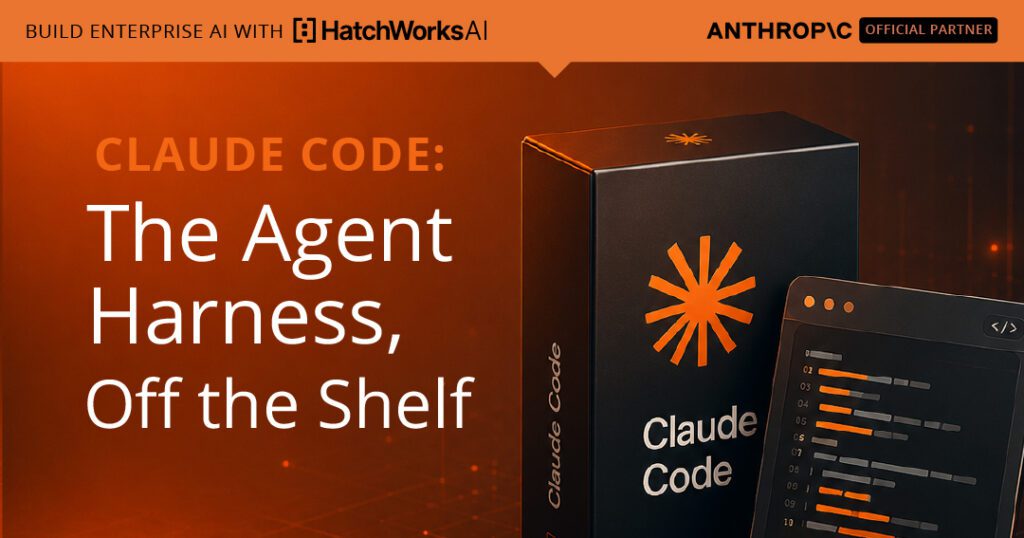
In the last guide we defined the agent harness as the runtime that turns a model into an agent: the loop, the tools, the context management, the memory, and the controls. Claude Code is that harness, finished and ready to run. You do not assemble the loop or wire up the tools. You install one package, open a terminal, and you are talking to an agent that can already read your files, run your commands, and work a task end to end. This guide is about what you are actually getting when you take the harness off the shelf, and how to shape it once you have it.
This is the off-the-shelf spoke of the harness cluster. If you have not read the pillar, start with Claude Agent Harness for the concepts this piece builds on. The companion spoke, on the Claude Agent SDK, covers the build-your-own path for when the terminal is not where your agent needs to live.
What this guide covers
What Claude Code is
Claude Code is a terminal-native agentic runtime. You install it with a single npm package, run one command, and authenticate on first launch. From then on you have an interactive prompt where you describe work in plain language and Claude carries it out through explicit tool calls: reading a file, editing code, running a shell command, searching the web. The same agent loop that runs here is the one the Agent SDK exposes programmatically, which is the precise sense in which Claude Code and the SDK are two shapes of one harness.
Two properties are worth fixing early. First, Claude Code is stateless between sessions but not between turns. Within a session it remembers everything that happened; close the terminal and that conversation is gone, which is why persistent project knowledge lives in files rather than in the chat. Second, every action is an explicit, visible tool call, so you can always see what the agent is about to do and intervene before it does it. The same runtime is available beyond the CLI, in a desktop app and an editor extension, all reading the same configuration. What follows is how that runtime delivers the five harness responsibilities, and the surfaces you use to shape them.
The five harness jobs, already done
The pillar defined a harness by five responsibilities. The value of Claude Code is that it discharges all five out of the box, so the only work left to you is configuration, not construction.
Loop
The interactive cycle
Reasons, calls a tool, observes, repeats until the task is done.
Tools
Built in, plus MCP
Read, write, edit, run shell, search the web, and any MCP server you add.
Context
Loaded and compacted
Pulls in project files and memory, and compacts automatically as it fills.
Memory
Files and sessions
Project memory carries knowledge forward; sessions can be resumed.
Control
Modes, rules, hooks
Permission modes, allow and deny rules, and hooks govern every call.
The rest of this guide walks the surfaces that matter most in daily use, starting with the one you will touch every session: how much you let the agent do without asking.
Permission modes: how much you let it do
Because every action is a tool call, the central control is how those calls are approved. Claude Code offers a set of permission modes you can cycle through at any time, from asking before everything to running unattended. The mode sets the default, but it is not the whole story: explicit deny rules, ask rules, and hooks are evaluated before the mode and can still block a call. Pick a mode below to see what it does to an incoming tool call.
Choose a permission mode
In practice most work happens in the default or Auto-Accept mode, with Plan mode used to get a roadmap before any change is made and bypass reserved for trusted, sandboxed, throwaway environments. There is also a research-preview Auto Mode that routes each action through a safety classifier, useful for clearly scoped, isolated tasks. Whatever the mode, the deny rules and hooks still hold, which is the point of the next two sections.
Six primitives for shaping the harness
A stock harness becomes your harness through six extensibility primitives. Teams routinely confuse them because they overlap in spirit, so the useful question is not what each can do but where it lives and what job only it does well. Pick one to see where it fits.
Which primitive?
A rule of thumb cuts through most of the confusion. Use CLAUDE.md for standing facts, a slash command for a prompt template, a Skill when there is real procedure or helper files, a subagent for isolated or parallel work, a hook to enforce a rule with code, and an MCP server to reach an external system. The Skills layer here is the same one covered in Claude Skills architecture, and subagents are covered in Claude sub-agents and agent teams.
Memory and context in Claude Code
Because a session starts with a fresh context window, two file-based mechanisms carry knowledge across sessions. CLAUDE.md is the durable project memory, loaded at the start of every session and held for its duration, which is why stable rules belong there rather than in a long conversation you hope survives. Auto memory supplements it by accumulating useful state over time. Before you type anything, the harness has already loaded your CLAUDE.md, that memory, the names of your MCP tools, and the descriptions of your Skills, which is itself a working demonstration of progressive disclosure: descriptions are cheap and load early, full instructions load only when needed.
As the session runs, file reads and tool outputs accumulate in the window, and when it fills the harness compacts automatically, clearing older tool outputs first and then summarizing the conversation. This is the context management responsibility from the pillar, handled for you, and the same economy that governs Skills one level down. The practical implication is that most complaints about an agent drifting are really context-budget problems: keep CLAUDE.md lean, push procedures into Skills, and let verbose side work happen in a subagent so its intermediate output never reaches your main thread.
HatchWorks AI is an Official Anthropic Claude Partner. Our Anthropic-certified Forward Deployed Engineers deploy Claude into your business and make it stick.
See how our FDEs work →Instruction is not enforcement
This is the most important distinction in operating Claude Code safely, and the one teams get wrong most often. Writing a rule in CLAUDE.md, even one in capital letters, is an instruction, and the model will follow it most of the time. But in a long session, an ambiguous moment, or when a file it reads contains a prompt injection, a prompted rule can fail. CLAUDE.md is context that influences behavior; it is not a policy engine that enforces it.
Real guardrails are deterministic, and in Claude Code they come from three places. Permission deny rules refuse named operations outright. Hooks run your own code at fixed points in the loop, and a pre-tool hook can inspect a call and block it before it executes, which is the highest-priority control in the stack because it is code rather than judgment. And managed settings, deployed by an administrator, cannot be overridden by a user's local configuration, which is the only way to enforce an organization-wide rule. The pattern is simple: facts and preferences go in CLAUDE.md, procedures go in Skills, and anything that absolutely must not happen goes in a hook or a deny rule. That separation is exactly the control layer the harness pillar described, and it is the seam where a methodology plugs in.
Beyond the terminal, and when to reach for the SDK
Claude Code is interactive first, but it is not interactive only. The same runtime drives a desktop app and an editor extension that share its configuration, and a headless mode runs the agent without a terminal at all. A single command in a continuous integration job can lint, test, or summarize a pull request on every change, and the same command can run on a schedule for routine maintenance. For larger work, subagents handle isolated research in parallel, and agent teams coordinate multiple sessions as peers on tasks with clear, non-overlapping boundaries.
There is a clear line where you outgrow the off-the-shelf runtime. When the agent needs to live inside your own product, behind your own interface, or deep in an automated pipeline with custom logic around every step, you want the harness as a library rather than a runtime you drive. That is the Agent SDK, the build-your-own spoke of this cluster, which exposes the same loop, tools, and context management programmatically. Our guide to the Claude Agent SDK and managed agents covers that path and where to run agents in production.
Common pitfalls
The gap between a tourist and a power user is almost entirely in how the harness is configured. These are the mistakes that cost the most.
A rule in CLAUDE.md is followed most of the time, not always. Anything that must never happen belongs in a deny rule or a hook, where it is enforced by code rather than by the model's good behavior.
Auto-approving everything is convenient until one destructive command runs unprompted. Keep allows minimal and denies aggressive, and gate dangerous operations behind a prompt. The cost of a permission click is far less than the cost of one accident.
Context accumulates every turn, and an endless session drifts as the window fills. Start fresh sessions for new work, lean on compaction, and keep CLAUDE.md tight so the budget goes to the task.
Building an elaborate set of skills, hooks, and subagents before you have felt where the defaults fall short usually produces config you do not need. Run plain for a while, then add a surface when you feel the pain.
Project-scoped permissions, hooks, and MCP servers materially change what the agent can reach. They are team infrastructure, so commit them and review them like the executable configuration they are.
From runtime to methodology
Taking the harness off the shelf removes the engineering work of building a runtime. It does not remove the harder question of how the work inside it should be done. Claude Code will run whatever process you point it at, so the difference between a team that gets reliable results and one that gets impressive demos is the discipline they bring: how work is planned before the agent starts, where a human checkpoint sits, what gets enforced in a hook rather than hoped for in an instruction, and what standard the output has to clear.
That discipline is what a methodology provides. At HatchWorks, our Generative-Driven Development approach turns these choices into a repeatable system. GenDD Context Packs give a Claude Code session the standing context and conventions it needs to work the way your organization works, and the GenDD Execution Loop wraps the agent loop in the planning, verification, and human checkpoints that make autonomous work trustworthy, plugging into exactly the permission and hook layer this guide described. The runtime is ready the moment you install it. Making it dependable is the work that pays off.
You've seen how the off-the-shelf harness works. An FDE configures Claude Code into a safe, repeatable part of how your team ships, with permissions and guardrails set right from day one.
Official Anthropic Claude Partner
Part of the Claude Partner Network, HatchWorks AI embeds Anthropic-certified Forward Deployed Engineers in your team to find where Claude delivers value, ship it into production, and help make adoption stick.
Talk to a Forward Deployed Engineer See how FDEs work