Agentic AI isn’t about better answers. It’s about action-taking, agents that book meetings, process refunds, update databases, and coordinate across systems on your behalf.
That shift from “answering” to “doing” breaks most of the UX assumptions teams carry over from chatbot projects.
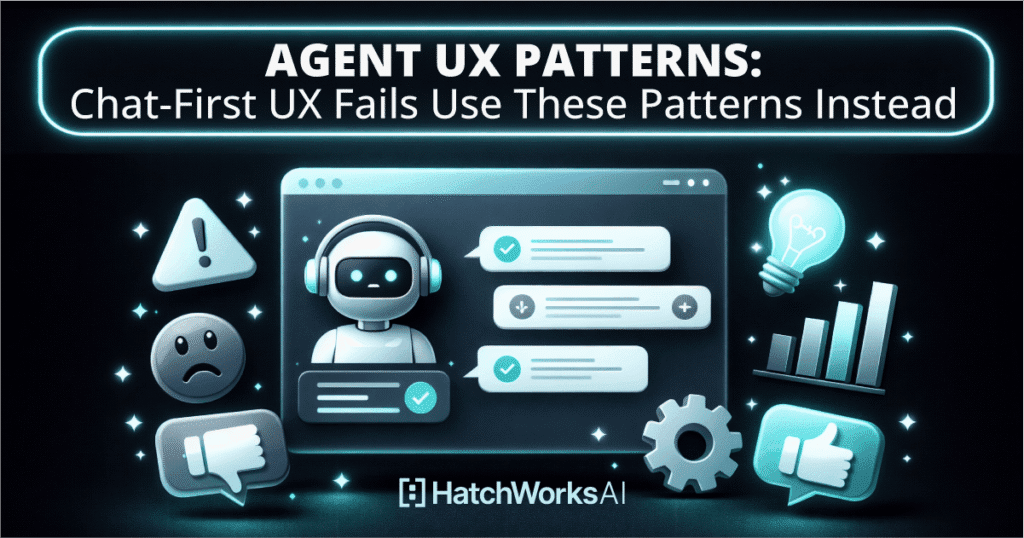
The problem isn’t your model. It’s that your interface was designed for conversation, not delegation and oversight.
Most resources today give you architecture diagrams or generic trust principles. This guide is different.
It’s a production-focused pattern library: the specific control surfaces—approvals, receipts, activity logs, rollback hooks, autonomy sliders—that separate agents people demo from agents people actually use.
You’ll get a pattern library, a quick selection guide, and “chat-first fail” fixes you can ship this sprint.
Short Introduction: The One-Minute Definition
Agent UX patterns are repeatable product patterns for the human-agent relationship: how people define goals, grant tool access, supervise execution, and recover safely.
In agent-native systems, agents do work through tools and APIs (not pixels), so the UX you design is the control surface: start/stop, approvals, receipts, logs, and rollback.
In this guide, you’ll get a pattern library, a quick selection guide, and “chat-first fail” fixes you can apply this sprint.
Building an agent demo is easy. Shipping an agentic system that can run real work—safely—requires the right UX controls (approvals, logs, recovery) plus the right automation approach.
That’s exactly what Agentic AI Automation is built for.
Agent UX Patterns: What They Are (and What They Aren’t) in Agent Design
Chatbot UX is conversational Q&A. You type, the bot responds, the thread scrolls.
Agent UX is fundamentally different: it’s goal pursuit across tools, time, and systems.
That means state management, permissions, retries, and audit trails, none of which a chat window handles well.
“Agent design” includes the product surfaces your users interact with, controls, escalation paths, receipts, activity logs, not just the prompts and tool definitions your engineering team writes.
If you’re thinking about agent UX as a prompt engineering problem, you’re solving the wrong thing.
If you want a quick baseline for production-ready guardrails (tool boundaries, safe defaults, human checkpoints), pair this guide with AI Agent Design Best Practices.
Agentic Systems vs Workflows vs AI Agents
A workflow follows a fixed sequence. It’s automated, but always predictable—if X then Y, every time.
An AI agent, by contrast, makes bounded decisions and adapts based on context. It can reason about which tool to use, re-plan when something fails, and escalate when it’s uncertain.
The practical implication: workflows need input/output testing.
Agents need observability, guardrails, and UX for uncertainty. You can’t test an agent like a workflow, and you can’t design UX for an agent like you would for a deterministic form flow.
Your UX requirements change depending on whether you’re building a general-purpose agent or a specialist. General-Purpose vs Vertical AI Agents helps you choose early so you don’t redesign later.
What’s Working Today—and the Gap You Can Win
Agent UX patterns today fall into two camps:
- High-level design principles (Microsoft’s transparency/control/consistency framework)
- Backend architecture patterns (reflection, tool-use, planning loops).
Both are valuable.
Neither gives product teams the ship-ready UI surfaces they need: the specific approvals, receipts, traces, and recovery flows that make agents trustworthy in production.
That’s the gap this guide fills.
Why Chat-First UX Fails for AI Agents in Production
Chat-first UX demoware looks great in a screen recording. In production, it falls apart because agentic systems are asynchronous, long-running, and multi-step.
Here are the failure modes teams hit most often:
- Invisible actions.
- Unclear state.
- No controls.
- No recovery path.
- No accountability trail.
- No way to pause.
- No way to understand why the agent did what it did.
The result: users don’t trust the agent—not because it’s wrong, but because they can’t see what it’s doing.
Most chat-first failures are orchestration failures in disguise: invisible state, unclear tool usage, and brittle handoffs. Orchestrating AI Agents in Production breaks down the production patterns that fix those issues.
Fail #1: “Infinite Chat Transcript” as the Only UI
Complex work has structure: tasks, sub-tasks, owners, status, deadlines.
When your only interface is a scrolling chat thread, users have to mentally reconstruct that structure from a wall of text.
That’s a cognitive load problem that gets worse with every message.
The fix: a taskboard with goals, tasks, owners (agent or human), status, and SLA, paired with an activity timeline and receipts. The chat becomes a secondary channel, not the primary workspace.
Fail #2: “Black Box Action-Taking” (Users Can’t Tell What Changed)
This is the trust-breaker.
Your agent processes a refund, updates a CRM record, or modifies access permissions, and the user sees a cheerful “Done!” with no evidence of what actually happened, why, or how to undo it.
The fix: action receipts. Every agent action produces a receipt: what changed, where, with what permissions, a diff or confirmation, and a rollback hook. This concept is core to the pattern library below.
In production, “what did it change?” isn’t optional. Agentic AI Automation makes receipts, approvals, and audit trails a first-class part of the experience—not an afterthought.
Fail #3: No Start/Stop/Pause = No Agency
If your agent runs autonomously but users can’t start, stop, pause, or resume it, you haven’t given them autonomy, you’ve taken it away.
The agent has agency. The user doesn’t. That’s the opposite of the goal.
The fix: explicit long-running controls with clear semantics (“if you stop now, here’s what happens”) plus checkpoints and escalation surfaces. Not “DM the agent and hope.”
Agent UX Design Principles for Agentic AI
Three baseline principles apply to every pattern in this library: transparency, control, and consistency, plus one meta-principle: nudge, don’t nag.
Every pattern maps back to at least one of these, so teams can evaluate tradeoffs when they customize.
Transparency That Doesn’t Overwhelm
“Show the right internals” means status, tools used, data sources, and limitations, at progressive levels of detail.
Not everything needs to be visible by default. A simple rubric: reveal more detail for high-stakes actions, irreversible steps, and compliance-sensitive contexts.
Let users drill down when they want, but don’t drown them in chain-of-thought output by default.
Control That Feels Native (Not Bolted On)
Control surfaces include autonomy levels, approvals, undo/rollback, and safe-mode fallbacks.
The key insight: human-in-the-loop should be a product surface with designed escalation paths, not a manual heroics workflow where someone monitors Slack for agent errors.
Not sure which patterns to implement first? Our AI Agent Opportunity Lab helps you map use cases by risk and pick the minimum UX surfaces needed to ship safely.
The Pattern Library: 12 Agent UX Patterns You Can Copy
Below are 12 patterns, each with a name, when to use it, and what it replaces in chat-first UX.
Frameworks help you build agents; UX patterns help people use them.
If you’re still choosing a framework, start with our AI Agent Frameworks Guide.
Pattern 1 — Taskboard + Outcomes (Replace “Chat-Only Progress”)
Display goals → tasks → sub-tasks, each with an owner (agent or human), status, SLA, and outcome definition.
Users manage work like work, boards, lanes, progress indicators, instead of parsing a chat transcript.
This is the single highest-impact pattern for teams moving past demo stage.
Pattern 2 — Activity Timeline (Replace “Mystery Steps”)
A chronological log of agent decisions, tool calls, and state changes, filterable by severity and type.
Include collapsible verbosity levels, a pinned “current step” indicator, and “jump to artifact” links so users can see what the agent produced at each stage.
Pattern 3 — Start / Stop / Pause / Resume Controls
Require explicit long-running controls for any asynchronous agent.
Define clear “what happens when you stop?” semantics.
Handle edge cases: mid-flight tool calls, queued actions, partial completion, and safe rollback messaging.
Pattern 4 — Autonomy Levels (Suggest → Draft → Execute)
Same capability, different control requirements.
A slider or mode selector lets users (or admins) set the agent’s autonomy per workflow or risk tier.
Default to low autonomy for first-time workflows; let agents earn autonomy via proven reliability.
Autonomy levels only work when paired with tool constraints, permissioning, and escalation rules.
AI Agent Design Best Practices covers the guardrails that keep “Execute” from becoming a risk magnet.
Pattern 5 — Two-Phase Actions (Plan → Validate → Execute)
Show the plan first. Require validation of inputs, permissions, and targets.
Then execute with a receipt.
This pattern is non-negotiable for finance ops, customer communications, permissions changes, and any irreversible action.
Pattern 6 — Action Receipts (Diffs, Links, and Undo Hooks)
Every action produces a receipt: what changed, where, references, timestamps, responsible agent, and a rollback option.
This reduces “what did it do?” support tickets and satisfies audit and compliance requirements.
Pattern 7 — Evidence Panel (Sources + Rationale, Not Chain-of-Thought)
Show citations, data sources, and constraints used.
Separate facts from assumptions.
Include a “challenge” affordance: users can flag a source, swap a source, or request a re-run with different constraints.
This is not a chain-of-thought dump—it’s curated evidence.
Pattern 8 — Human Checkpoint Gates (Designed HITL)
Define gate types: approve plan, approve execution, approve final output, or approve exceptions.
Specify who gets notified, what context they see, and how approvals are logged.
This is human-in-the-loop as a product feature, not an afterthought.
Pattern 9 — Role Cards for Multiple Specialized Agents
When using multi-agent systems, display each agent’s role, scope, tools, permissions, and handoff rules.
Show “who’s driving” (the supervisor), which specialist is active, and why routing happened.
This prevents the confusion of a monolithic prompt-bloat agent.
Multi-agent setups get real when you wire specialists into workflows (researcher → drafter → reviewer → executor). Multi-Agent Solutions in n8n shows what that looks like in practice.
Pattern 10 — Safe Failure & Recovery (Fallback Modes)
Define “safe-mode”: when risk increases or uncertainty spikes, the agent switches from agentic behavior to deterministic workflow steps.
Include an “I’m stuck” state that triggers human takeover with a resumable plan.
One practical way to build safe-mode is to fall back from agentic behavior to deterministic steps inside a workflow tool when risk rises. n8n AI Agent is a good example of that pattern.
Pattern 11 — Memory Controls (Memory as UX)
Expose memory surfaces: “what I remember,” “why,” “edit/delete,” and per-workflow memory scope.
Include consent patterns for sensitive data: warnings, retention windows, and org policy alignment.
Microsoft’s Agent UX Design Principles specifically call out memory as a forward-looking capability that requires user transparency and customization from day one.
Pattern 12 — Budget + Time Boxes (Cost-Aware UX)
Users can set max spend and max time.
The agent updates ETA and cost in real-time and requests permission to continue when approaching limits. Include “circuit breaker” behavior: what happens on timeout, how partial results are surfaced, and what next-best recommendations the agent provides.
Agentic Workflows: Orchestration UX Patterns That Survive Production
Orchestration—state, branching, retries, and deterministic control planes—shouldn’t be invisible to users.
When it is, debugging becomes guesswork and trust erodes.
Deterministic Orchestration + Bounded Judgment
The split that works in production: workflows manage state and constraints; agents make bounded decisions inside those constraints.
The UX outcome is fewer surprises, clearer accountability, and easier debugging.
Think of the orchestrator as the rails and the agent as the train. Users should see both.
Orchestration Patterns That Impact UX (Sequential, Group Chat, Etc.)
Different orchestration patterns create different user-visible implications for transparency, auditability, and completion criteria.
Sequential patterns are easiest to display. Group-chat agent patterns (multiple agents in a round-robin) require loop prevention, “done” signals, and careful limits on agent count to prevent runaway conversations.
Agentic Patterns for Multi-Agent Systems (Supervisor + Specialists)
The “giant prompt” approach—one agent, every capability—breaks down fast.
Specialization works better: a supervisor assigns tasks, specialists act, a reviewer checks, and the user approves.
UX should expose this task distribution clearly.
First decide whether you need a broad agent or a specialist: General-Purpose vs Vertical AI Agents helps you choose.
Maker-Checker Loops as a UX Feature (Not Hidden Behavior)
Turn the critique step into visible UI: a “review lane” showing suggested fixes, with the user choosing to accept or reject changes.
Add guardrails: completion criteria and max iterations to prevent infinite revision loops.
Observability + Evaluation: Make Reliability Visible
Tracing and evaluation aren’t just engineering concerns, they’re what let users trust outcomes over time.
Include visible versioning (“agent v3.2”), test coverage badges, and a “known limitations” panel so users understand what the agent is and isn’t confident about.
Continuous Evaluation Patterns (Golden Sets, Shadow Mode, Canaries)
Outline what’s tested, what changed, and how regressions are caught before users do.
Golden sets test core competencies.
Shadow mode runs the new agent version alongside the old without affecting users.
Canary deployments roll out to a subset first.
Show “confidence over time” for critical workflows so users can see the agent getting better.
Governance Layer: Permissions, Audit, and Accountability by Design
Governance is UX. Users need to see who can do what, what was done, and who approved it.
For enterprise teams, this means compliance logging, role-based access controls, and safe defaults that err on the side of caution.
Tools as Contracts (Typed Schemas, Allowlists, Idempotency)
When tools have typed schemas, you get validated input forms and clearer error messages.
When tools are idempotent, retries are safe, and users don’t worry about duplicate actions.
When tools have permission gates, agents can’t hallucinate actions they aren’t allowed to take.
A quick checklist: schema validation, idempotency keys, permission gates, and human approval triggers on high-risk operations.
Implementation Checklist: Ship Your First Agent UX Without Rework
The build order that minimizes rework for an MVP: controls (start/stop/pause) → receipts (what happened) → logs (activity timeline) → approvals (human checkpoints) → memory (what’s remembered) → eval (confidence over time).
Your “definition of done” for v1: the user can predict what the agent will do, pause it mid-flight, approve critical actions, and recover from failures.
Maturity Model: Chat-First → Guided Agent → Trusted Autonomy
Level 1 — Chat-first. The agent responds in a chat window. No controls, no receipts, no logs. Fine for demos. Not for production.
Level 2 — Guided agent. Taskboard, activity timeline, start/stop controls, action receipts, and human checkpoint gates are in place. Users can see what’s happening and intervene. This is where most teams should aim for v1.
Level 3 — Trusted autonomy. Autonomy levels, evidence panels, memory controls, budget/time boxes, and continuous evaluation are live. The agent has earned trust through proven reliability, and users have graduated to higher autonomy settings for well-tested workflows.
High-stakes domains (finance, healthcare, legal) require slower autonomy progression.
Don’t skip levels.
How HatchWorks AI Helps: From Patterns to Production
If you’re ready to move from prototypes to production, Agentic AI Automation helps you build agentic workflows with the UX controls users need: approvals, visibility, recovery, and governance baked in from the start.