The ultimate comparison for developers, product teams, and AI-led organizations.
n8n and Make are two of the most popular workflow automation tools available.
Both help teams connect apps and automate tasks, but they differ in approach, technical depth, and long-term scalability. In this guide, we put n8n and Make head-to-head across the features that actually impact your team’s performance.
It’s n8n vs Make. Let’s find out which one’s worth your time.
What is a workflow in n8n?
N8n defines it as: “a collection of nodes that automate a process. Workflows begin execution when a trigger condition occurs and execute sequentially to achieve complex tasks.”
n8n vs Make: A Quick Primer for First-Time Users
Let this section serve as a brief overview of both tools, where you can get snippet information about what each does and who they are for. The rest of the article will go deeper into the specifics.
Make: The Visual No-Code Powerhouse
Make (formerly Integromat) is a cloud-based automation platform known for its polished, drag-and-drop scenario builder. It’s designed to help non-technical users link together apps and services without writing a single line of code.
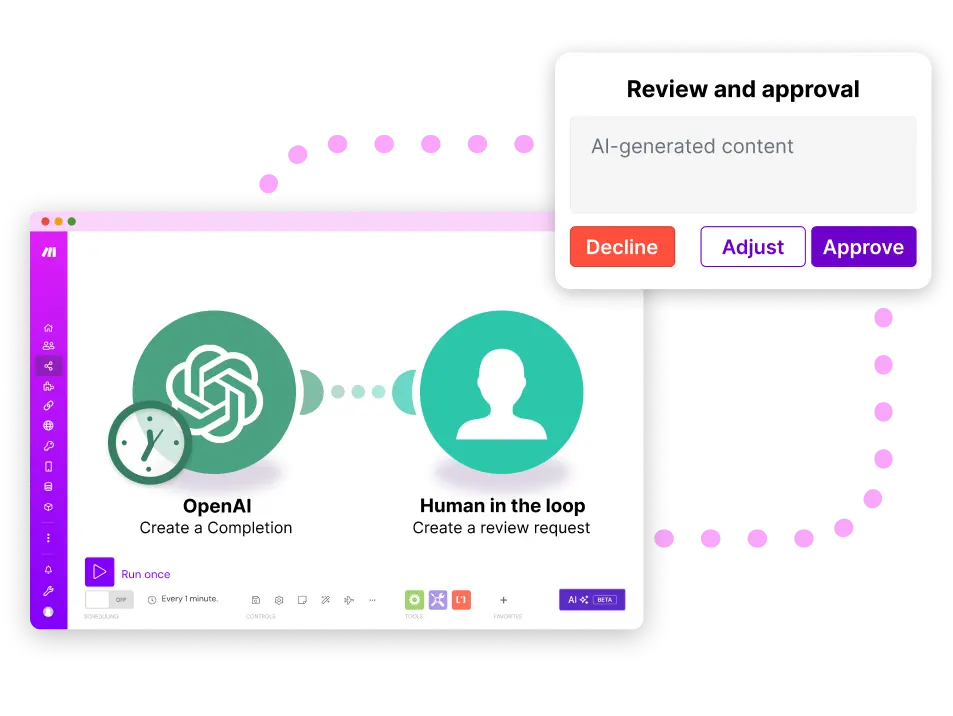
With a vast connector library and a clean visual interface, Make excels at creating straightforward automation flows, especially for business operations, marketing, and startup teams that want results quickly.
While Make does allow for some scripting, its real power lies in enabling no-code users to build automations at scale.
Make is a great tool for fast-moving teams that want to prototype quickly, automate everyday SaaS tasks, and avoid the overhead of infrastructure management.
n8n: The Developer-First Engine for Custom Workflows
n8n is an open-source automation platform that gives developers full control over logic, integrations, and infrastructure.
Unlike Make, n8n can be self-hosted and extended at the source level.
It supports JavaScript-based custom nodes, dynamic API calls, and complex orchestration. That makes it a powerful option for teams building automation into their product stack or integrating across bespoke systems.
While it has a steeper learning curve than Make, n8n shines in environments where flexibility, security, and developer ownership are essential.
n8n is best suited for technical teams, AI builders, and enterprises that need precision, extensibility, and platform control.
n8n vs Make: A Comparative Analysis of Features
Now that we’ve introduced each platform, it’s time to get tactical.
In the sections that follow, we break down how n8n and Make compare across six key categories that determine how well an automation tool performs in real-world environments:
- Visual Workflow Design & Usability
- Integrations & API Flexibility
- Logic, Modularity & Workflow Complexity
- Hosting, Extensibility, and Infrastructure Fit
- Automation Scope & AI Workflow Capabilities
- Ecosystem, Templates & Community
Visual Workflow Design & Usability
Both Make and n8n are visual-first automation tools, but how they approach that interface speaks volumes about who they’re built for.
Make emphasizes visual simplicity.
Its flowchart-style builder is easy to grasp, with a clean design that helps newcomers feel productive fast. You drag in modules, connect them, and configure each step through a friendly side panel. For linear workflows or simple branches, it’s fast and intuitive.
n8n, by contrast, favors functional depth.
Its node-based builder can look denser at first glance, but it offers finer control over each step’s logic, inputs, and outputs. The interface supports nested subflows, callable workflows, and advanced conditionals. These are features that appeal more to developers than to no-code users.
If your workflows stay simple, Make’s UI will feel more elegant. But as complexity grows, especially with branching paths, debugging needs, or dynamic inputs, n8n’s system proves more scalable.
Here’s a quick comparison of how these platforms stack up on visual workflow design:
| Capability | Make | n8n |
|---|---|---|
|
Visual Clarity
|
✅ Polished, intuitive interface for newcomers
|
⚠️ More technical, requires orientation
|
|
Branching UX
|
⚠️ Limited; deep logic can get clunky
|
✅ Supports complex, multi-path logic
|
|
Debugging Tools
|
✅ Step-by-step, built-in logs
|
✅ Granular node-level inspection
|
|
Reusable Logic
|
❌ Not natively modular
|
✅ Sub-flows, callable nodes
|
|
Real-Time Data Flow View
|
⚠️ Partial
|
✅ Full input/output visibility
|
Integrations & API Flexibility
Make has a strong connector library with over 3,000 pre-built integrations, making it a great workflow automation tool for fast deployments across marketing platforms, inventory management systems, and basic workflows.
Its no-code interface and simplified authentication flows make it easier to onboard non-technical users, especially for common apps like Google Sheets.
However, for developers working with tools that don’t have existing connectors, Make’s flexibility hits a ceiling. While it offers some custom API integrations and webhook modules, the configuration options are limited for intricate auth schemes or dynamic logic.
| Capability | Make | n8n |
|---|---|---|
|
Pre-Built Integrations
|
✅ 3,000+ apps
|
⚠️ ~400 nodes, fewer out of the box
|
|
Visual Workflow Builder
|
✅ Drag and drop interface
|
✅ Drag and drop interface
|
|
Custom API Integrations
|
Webhooks, limited HTTP module
|
Full HTTP Request node, auth headers, variables
|
|
Proprietary System Support
|
Workarounds required
|
Full API control, tailored nodes
|
|
Integration Extensibility
|
No code tools, some scripting
|
Custom JavaScript code, reusable modules
|
n8n, on the other hand, is designed for full API access. The HTTP Request node gives users the ability to define headers, query parameters, request bodies, and authentication protocols with precision.
That means any service with an API can be wired in, whether it’s a new LLM service, a backend dashboard, or an internal customer database.
Logic, Modularity & Workflow Complexity
Make and n8n both handle basic workflows. The difference between them becomes obvious when you start building complex processes.
Make gives users a visual canvas to chain operations, introduce logic, and fork pathways. You can use routers for conditional branching, iterators for loops, and add error handling via its built-in tools. But there are limits as flows get long or deeply nested.
Complex workflows can become hard to manage visually, and Make doesn’t offer true modularity or reusable components.
n8n, by contrast, is engineered for intricate workflows from day one. You can nest workflows, reuse logic through callable sub-flows, and execute advanced conditionals using expressions and custom JavaScript code.
For technical teams, this translates into automation that’s easier to version, scale, and debug.
Here’s how n8n and Make stack up:
| Feature | Make | n8n |
|---|---|---|
|
Conditional Logic
|
✅ Built-in with routers
|
✅ Advanced expressions, multi-branch support
|
|
Looping
|
✅ Iterators
|
✅ Native node support
|
|
Error Handling
|
Basic tools per route
|
Granular error handling on any node
|
|
Modularity
|
❌ No reusable subflows
|
✅ Callable workflows, modular logic
|
|
Technical Fit
|
Best for visual users with some programming concepts
|
Ideal for tech-savvy users and developers managing large systems
|
If your team’s building automated workflows that need error recovery, version control, or deep integration with custom systems, n8n provides the structure to do it right.
Want to go deeper into what makes n8n scalable? See our n8n workflow automation breakdown.
Hosting, Extensibility, and Infrastructure Fit
One of the most decisive differences between Make and n8n is how and where your workflows run. This matters if you care about deployment flexibility, infrastructure control, or compliance with data handling regulations.
Make is a fully cloud-managed platform. You build and run automations inside their environment, with no option to self-host. While this makes it easy to get started and reduces maintenance overhead, it also introduces constraints. You can’t host Make on your own server, which may be a dealbreaker for teams working with private data or strict data governance rules.
n8n offers both a cloud-hosted service and a completely open-source version that can be deployed on your own infrastructure. You can run it locally, in a private cloud, or integrate it into your CI/CD pipeline. It supports environment variables, access control, custom API integrations, and HTTP request nodes for connecting to virtually any endpoint. This makes it a better fit for teams with technical capabilities or complex internal architectures.
| Capability | Make | n8n |
|---|---|---|
|
Hosting Options
|
Cloud-only
|
Cloud or self-hosted
|
|
Source Access
|
❌ Not available
|
✅ Full source code access
|
|
Extensibility
|
Limited plugins
|
Full plugin system + custom node dev
|
|
Deployment Fit
|
Best for small teams or no-code tools
|
Ideal for enterprises, regulated teams
|
|
Secrets Management
|
Basic UI-level handling
|
Native support via env vars or vaults
|
If you’re building automation in a modern stack or embedding it into developer workflows, n8n’s extensibility offers more long-term stability and cost-effective customization.
Curious how this compares to Zapier’s model? See n8n vs Zapier for more on infrastructure trade-offs.
Automation Scope & AI Workflow Capabilities
If you’re building intelligent workflows or exploring retrieval augmented generation, the difference between Make and n8n becomes clearer. Both support AI to some degree, but n8n is far more aligned with developer-first, agentic automation strategies.
Make’s AI Limits and Workarounds
Make allows you to connect to tools like OpenAI or Claude through pre-built apps or by setting up custom API calls via webhooks.
That means you can do prompt-in, prompt-out interactions such as text summarization, classification, or simple decision-making. However, there’s no real framework for complex workflows, state tracking, or chaining multiple steps across tools.
AI in Make is more of an add-on than a core function. You can prototype small workflows or test concepts, but you’ll hit walls if you’re trying to orchestrate agents, manage memory, or build feedback loops between steps.
Debugging also becomes more difficult at scale, especially if you’re trying to log errors or handle branching dynamically.
n8n’s AI-Native Approach
n8n, on the other hand, integrates deeply with tools like LangChain and supports AI developer tools for agent orchestration, vector database lookups, and multi-step reasoning. You can run RAG pipelines, structure AI logic across reusable workflows, and chain AI responses across multiple services. It even integrates well with external tools using custom JavaScript code or API calls.
More importantly, it’s built to support advanced users. That includes developers who need to test, iterate, and deploy AI workflows that don’t break when complexity increases.
From managing context to embedding AI in production-ready pipelines, n8n provides the infrastructure and control missing from more visual-first platforms.
For a deeper breakdown of agent-based patterns, see our n8n AI Agent primer.
Ecosystem, Templates & Community
When evaluating a workflow automation tool, it’s not just the features that matter; it’s how fast you can get started, how well problems are documented, and how active the community is when you need support or inspiration.
Make offers a robust template library filled with workflows tailored to popular use cases. It is supported by a large repository of pre-configured modules for tools like Google Sheets, Slack, HubSpot, and thousands of others.
The platform leans heavily into the no-code market, so the help center, tutorials, and community forum are designed for non-developers, not tech-savvy users. If you’re just getting familiar with automation concepts or building basic workflows, Make makes it easy to launch fast.
That said, the depth of community contributions, like custom plugins or open-source add-ons, is relatively limited compared to n8n. You’ll find guides and walkthroughs, but fewer options to truly extend the platform beyond what Make provides out of the box.
n8n’s ecosystem is smaller in scale but deeper in customization. It’s backed by a growing GitHub and Discord community of developers who share intricate workflows, contribute new nodes, and publish deep dives on edge-case automations.
Its visual workflow builder also integrates with your version control tools, CI/CD pipelines, and plugin ecosystem. Whether you’re fine-tuning workflow executions or managing sensitive data, n8n’s community support is oriented toward builders.
Looking to explore the ecosystem deeper? Visit our n8n guide or jump into our n8n workflow automation article that walks you through how to build one for yourself.
Which Automation Platform Works Best with AI Agents
More teams are embedding large language models and multi-agent orchestration into their automation pipelines. So the automation tool they choose needs to support the use of AI agents.
AI & Webhooks in Make
Make supports AI integrations through webhooks, HTTP modules, and custom apps. You can connect OpenAI, Claude, or other models using third-party plugins or the platform’s API tools.
While this enables simple AI-powered tasks, like content generation or classification, there’s no native agent framework.
The result is a viable solution for experimenting with AI tools inside larger flows, but it often requires stitching together logic manually or writing helper scripts outside the platform.
And for teams without technical knowledge, managing token limits, retry logic, or prompt formatting can become a fragile setup.
Building AI Workflows in n8n
n8n is more AI-native. It offers built-in nodes for OpenAI, Hugging Face, and Claude, along with support for vector databases and retrieval augmented generation pipelines. Its open architecture supports chaining AI agents, integrating APIs, and fine-tuning memory.
This makes n8n a better match for advanced users and teams with technical skills who want to orchestrate complex, autonomous workflows.
You can build custom prompts, run conditional logic across tools, and layer in fallback or moderation paths.
Need inspiration? Check out our piece on n8n AI agent design best practices to see how engineers are using it to scale intelligent workflows.
n8n vs Make: Pricing Models Broken Down
Pricing can shift the balance between tools, especially as workflows grow in volume and complexity. Here’s how Make and n8n compare when it comes to cost.
Make’s Tiered Subscription Model
Make’s pricing structure is tiered and includes usage caps, priority support, and access to advanced modules as you move up plans.
It does offer a freemium model, giving users a generous (but capped) free tier.
Paid plans scale based on the number of operations (workflow executions) and available features.
This works well for simple use cases, but once you start pushing higher volumes or require premium modules, the cost can spike unexpectedly.
n8n’s Open Source + Paid Cloud
n8n stands out with a full-featured open-source version you can self-host on your own server with no license costs.
That’s a major win for teams with infrastructure in place or those prioritizing security and customization.
For those who want a managed experience, n8n Cloud offers flat-rate plans based on workflow executions, not individual steps. This makes it more cost-effective at scale, particularly for workflows with multiple branches or API calls.
Use Case Fit: When to Use Make, When to Use n8n
Neither platform is “better” across the board. It depends entirely on your team’s needs, skills, and infrastructure. Here’s a quick decision-making guide to help you choose.
Choose Make If…
- You want to build fast with no-code tools and pre-built integrations.
- Your team values a clean, guided user interface with minimal friction.
- You’re handling basic workflows that don’t require custom scripting or complex logic.
- You need to prototype quickly without worrying about hosting or infrastructure.
Make is especially popular with marketing ops, small business teams, and early-stage startups, where speed and simplicity outweigh flexibility.
Choose n8n If…
- You need fine-grained control over logic, structure, and infrastructure.
- You want to self-host or manage automations in a DevOps environment.
- You’re comfortable with writing code or have technical users on the team.
- You’re orchestrating advanced AI pipelines, internal tools, or multi-agent workflows.
n8n is perfect for engineering teams, data professionals, and organizations with sensitive data or long-term scalability needs.
Real-World Use Cases: How Teams Are Using Each
Both Make and n8n are used to automate business-critical operations, but they excel in different areas. Here’s how real teams are putting them to work and what kinds of workflows they’re best suited for.
Make‑Powered Workflows
Make is ideal for stitching together SaaS tools without writing code. Its visual workflow builder and prebuilt app modules allow non‑developers to launch automation fast. This is especially true for marketing ops, product workflows, or customer engagement.
Common automations include:
- Lead capture: Typeform → CRM → Email sequence
- Course delivery: Purchase → LMS → Access credentials
- Sales ops: Form → Slack → Notion → Google Sheets
- Product onboarding: Demo request → Calendar invite → Follow‑up survey
Make’s real‑world example: SERHANT.
Luxury real estate brand SERHANT. used Make to eliminate repetitive manual work in its course and client funnel.
By connecting payment systems, forms, CRMs, and email platforms, they scaled their automation 10× without expanding headcount, allowing their operations team to focus on high‑touch efforts.
n8n‑Powered Workflows
n8n is best for advanced users with technical knowledge or security needs. It’s especially powerful in backend automation, AI integration, and environments where full control over infrastructure and API logic is required.
Common automations include:
Threat monitoring: Security feed → Alerts → Slack + ticketing
AI agent workflows: Prompt → Retrieval → Multi‑step response
Reporting: Database → Chart PDF → Email digest
Internal tooling: Slack command → API call → Structured response
n8n’s real‑world example: Vodafone UK
Vodafone UK automated its cyber threat-intelligence pipeline with n8n, saving £2.2 million annually. Their engineering team built reusable workflows that parsed, enriched, and escalated incidents in real-time. It cuts manual effort and drastically improves response time.
Verdict: Which One Survives 2026’s Hidden Limits?
Make delivers on ease of use, speed, and simplicity. For teams focused on basic automations or rapid prototyping, it’s a solid choice.
But as workflows grow more complex, and requirements around flexibility, AI, or infrastructure control emerge, those strengths become constraints.
n8n offers more:
- Control
- Extensibility
- Room to scale
Its open-source foundation, custom logic capabilities, and support for advanced orchestration make it a stronger fit for engineering-led teams and AI-powered environments.
It’s our pick, and it’s where we’d recommend spending time learning to use. Because in the long run, it can take you further on your automated development journey.
About HatchWorks: AI Automation for Advanced Workflows
HatchWorks helps organizations go beyond surface-level automation. We design intelligent systems that integrate seamlessly with your infrastructure, scale with your data, and adapt to how your teams work.
From agentic AI automation to custom orchestration layers powered by LLMs and retrieval-augmented generation (RAG), we work at the intersection of software engineering and AI to help companies modernize at speed.
Whether you’re exploring n8n, building AI agents, or looking to streamline internal tools, our AI Agent Opportunity Lab is a great place to start.
We help you define use cases, assess automation readiness, and architect for scale.
Let’s build something intelligent together.