Executives have always shaped software. You set priorities, fund roadmaps, and make the calls when tradeoffs get real. But until recently, you could not touch the product idea itself without waiting for design and engineering cycles.
That’s what vibe coding changes.
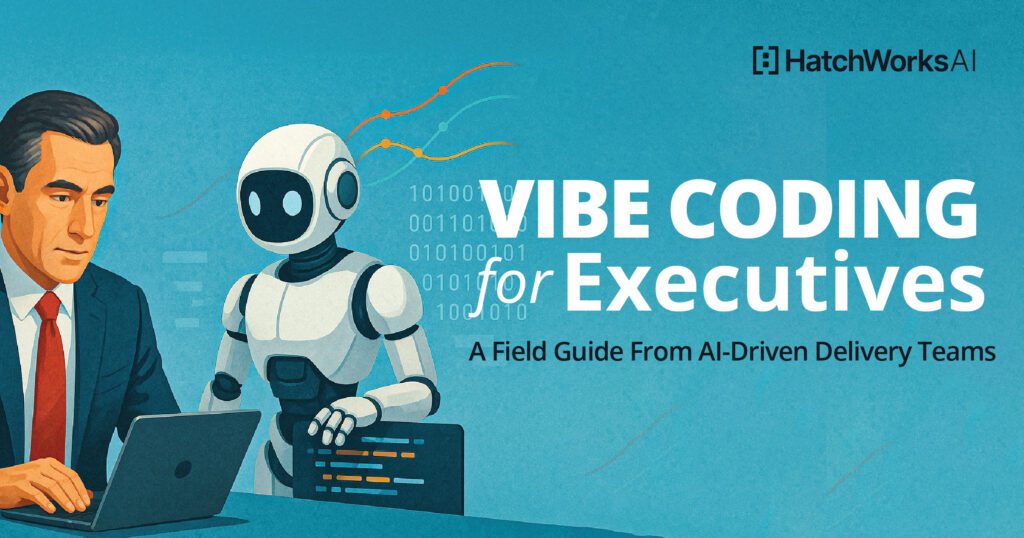
In executive terms, vibe coding is a fast way to turn an idea into a working demo so your team can react to something real, not a slide. It compresses sense-making, alignment, and decision velocity, especially when engineering backlogs are full, and stakeholders still want results this quarter.
This field guide shows you how to prototype quickly, de-risk smartly, and hand off cleanly, so you can achieve speed without creating shadow IT headaches.
TL;DR — Can Vibe Coding Help Tech Leadership Prototype Faster? (Yes, if Governed)
Yes, vibe coding can help you prototype faster, sometimes in hours instead of weeks, because the “interface” is plain language and quick iteration.
But the win is not “look, I shipped code.” The win is speed to clarity: a demo your stakeholders can click, critique, and improve. That reduces debate, exposes assumptions, and gets you to a better go or no-go decision faster.
The caveat is governance. AI-generated code is not trusted by default. Keep early work in a sandbox, use mock data, log prompts and decisions, and create review gates before anything touches production.
If you want a simple rule: prototype fast, graduate slowly.
What Is Vibe Coding (in Executive Terms)?
Vibe coding is a style of building where you describe what you want in natural language and an AI tool scaffolds working software for you. It is an “intent to executable” loop: you prompt, run, observe, refine, repeat.
Google’s definition captures the shift well: vibe coding uses natural language prompts to generate functional code, with iterative refinement through conversational feedback. IBM frames it similarly as expressing intent in plain speech and letting AI translate that into executable code.
The phrase itself traces back to Andrej Karpathy, who popularized the idea that “the hottest new programming language is English” and later described vibe coding as giving into the vibes and “forgetting that the code even exists.”
This idea didn’t start as an enterprise trend. It started as a mindset shift about how software gets expressed.
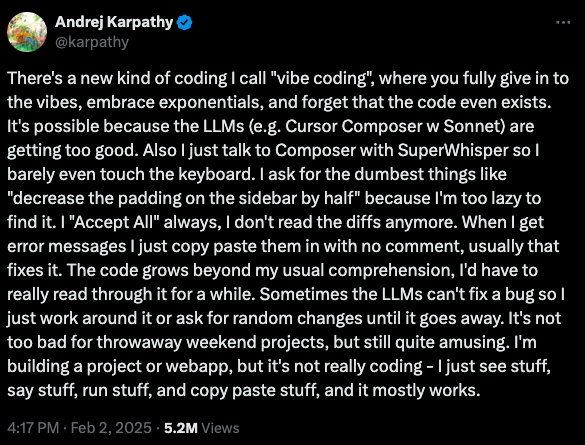
Now let’s define what vibe coding actually is (in executive terms) and why it suddenly matters.
Why now?
- The tools got good enough to scaffold apps, not just snippets.
- The cost of exploration dropped, so more leaders can test ideas without a full team.
- Cross-functional teams can collaborate on a shared artifact, not a debate.
First-Hand Proof: What Leaders Are Actually Prototyping Using AI
In our event, Stealing Fire: An Executive Primer on Vibe Coding, we shared a pattern that keeps repeating: executives and operators are not trying to replace engineering. They’re trying to bridge the gap between what’s in their head and what the delivery team needs, faster than a design doc can.
A few real examples:
- Data Q&A and reports without waiting on backlog. One leader got read-only access to a production database, uploaded the schema to an LLM, asked an English question, and received working SQL in seconds.
- Micro-products that were “nice to have” for months. A weekly stats email for a recreational sports league was built in an afternoon with an AI-assisted IDE instead of sitting in backlog for months.
- Citizen development is getting younger (and real). A 15-year-old with basic coding background built a court-finder app with mapping and a “meet in the middle” feature.
The signal for enterprises: internal demo days and “demo Fridays” spread because they create a repeatable way to validate ideas quickly, then hand off the right work to engineering.
Benefits You Can Bank (If You Scope It Right)
Vibe coding pays off when you use it for the right job.
1) Time compression: idea to clickable demo in hours
Vibe coding can compress cycles because you can iterate in minutes instead of waiting for capacity to open up. The output is a working object people can react to.
2) Faster alignment
Demos remove ambiguity. Stakeholders stop arguing about hypotheticals and start reacting to behavior, flow, and outcomes.
3) Better specs for engineering
When PMs, analysts, and leaders can “show, not tell,” engineering gets clearer requirements, fewer assumption gaps, and cleaner handoffs.
4) More leverage from the team you already have
You are not adding headcount just to test an idea. You are creating validated learning, then investing in the best bet.
The upside is real, but it’s only real when you scope the job correctly. This is what ‘good’ looks like.
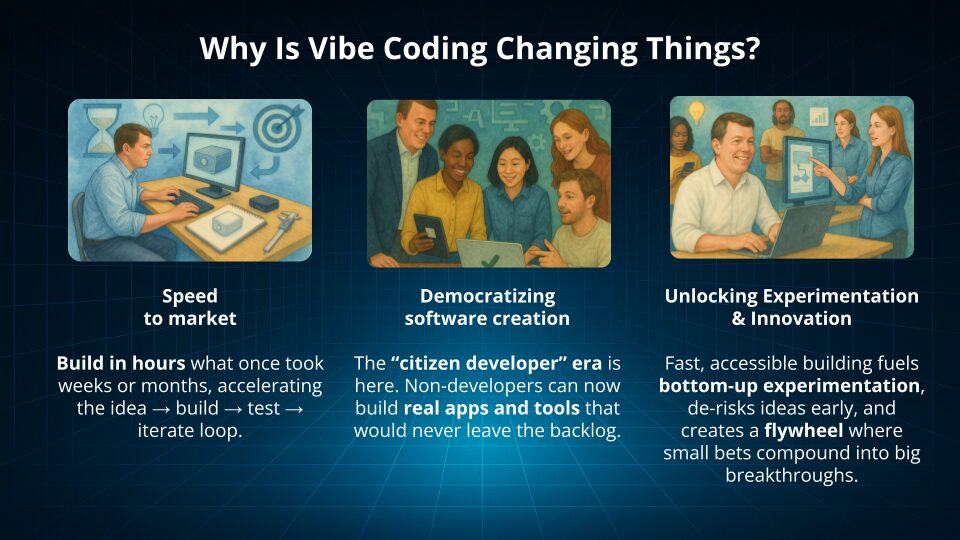
One important reality check: AI does not automatically make every team faster. A randomized controlled trial by METR found experienced open-source developers were slower (19% longer) with early-2025 AI tools in their own repositories, largely due to review and correction overhead. That’s a reminder that the executive goal should be decision clarity, not raw “lines of code shipped.”
Which brings us to the part most execs skip: the risk ledger and the controls that keep this sane.
The Executive Risk Ledger (and How to Control It)
Vibe coding moves fast, which means it can move fast into risk if you skip guardrails.
Here’s a practical risk ledger for executives: treat AI-generated code like untrusted third-party code until it passes your gates.
Risk 1: Security vulnerabilities
Security researchers and vendors have shown that AI-generated code frequently includes vulnerabilities. Veracode reported 45% of AI-generated code samples failed security tests and introduced common OWASP-type issues.
Controls
- Sandbox first, production never.
- Automated scanning in CI for anything that persists.
- Security requirements in prompts, not just in policy docs (the model will not guess your standards).
Risk 2: Data exposure and compliance drift
Prompting an AI tool with sensitive data is still data handling. Treat it like any other vendor and workflow.
Controls
- Use mock or synthetic data for prototyping.
- Use read-only access patterns if you must query real systems.
- Manage secrets through approved vaults, not pasted keys.
Risk 3: Maintainability and ownership
If nobody owns the code, nobody can safely change it.
Controls
- Non-negotiables: source control, checkpoints, artifact archive.
- Hand-off rule: nothing touches production without engineering ownership.
Risk 4: “Prototype becomes product”
This is the most common enterprise failure mode.
Controls
- Define graduation criteria (users, data sensitivity, compliance zone) before you build.
- Make the demo disposable unless it passes gates.
Vibe vs. AI-Assisted Coding: Pick Your Mode
Not all “AI building” is the same.
- Full vibe mode: AI scaffolds most of the demo. Best when you are exploring unknowns and want speed.
- AI-assisted mode: Humans steer tightly and review continuously. Best for policy-heavy or data-sensitive concepts.
Your outcomes (and your risk) change depending on which lane you’re in.
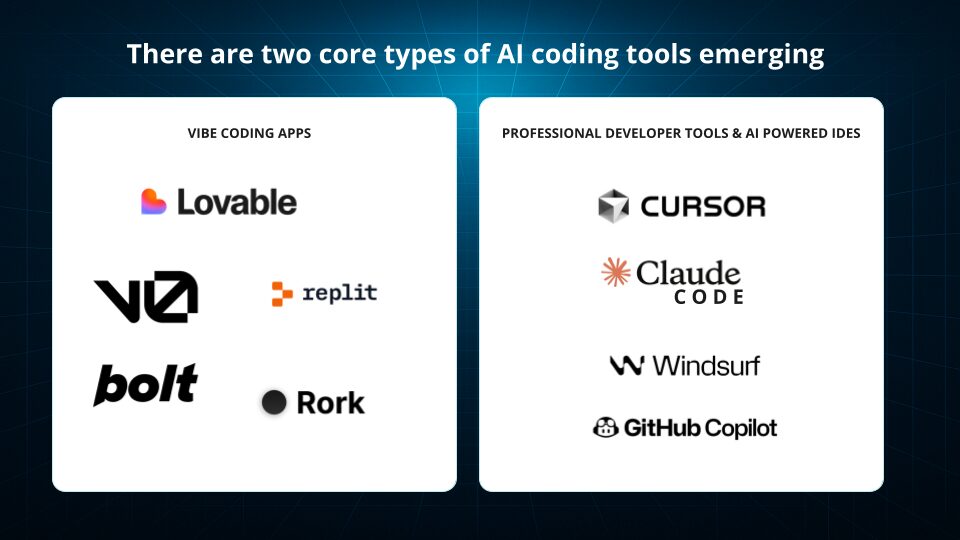
A simple heuristic:
- If you are prototyping UX flow, internal tooling, or concept tests, vibe mode can work well.
- If you are touching regulated data, payment flows, or external users, start in assisted mode with gates, or do not prototype with real systems.
A Practical 30-Day Pilot for Execs (Upside-Down Pyramid Design)
If you do one thing after reading this, do this: run a 30-day pilot with a narrow use case, clear acceptance criteria, and review gates.
Week 1: Choose the workflow and set guardrails
- Pick one narrow workflow with clear value.
- Define “done” in plain language.
- Decide what data is allowed (mock, synthetic, read-only).
- Confirm where artifacts live (approved sandbox, approved repo).
Weeks 2–3: Build, show, decide (twice weekly)
- Run two demo reviews per week.
- Iterate in small slices.
- Add basic tests and scanning on each iteration.
Week 4: Package the demo and document the handoff
- Finalize demo.
- Record a 3-minute walkthrough video.
- Document decisions, open questions, and recommended next steps.
This pilot is designed to produce a clean handoff, not a half-owned tool that lingers.
AI Tools You’ll Actually Use
You do not need 20 tools. You need a small stack with clear roles, so your team can move fast and keep prototypes governed.
1) Low-friction builders (Lovable, v0)
Best for getting from idea to clickable UI quickly. Use these to prototype flows, screens, and basic app logic without waiting on a full design and engineering cycle.
2) IDE copilots (Cursor, Claude Code)
Best for tightening what the builder generates: refactor messy logic, add tests, improve readability, and make the handoff to engineering less painful.
3) Safe clouds for models (Vertex AI, Amazon Bedrock, Azure OpenAI)
Best for enterprise constraints: data residency, security controls, and model governance. This is where you run workloads when the prototype needs to connect to approved data sources or policies.
What to evaluate (executive checklist)
- Auth patterns: Can it support SSO, RBAC, and your approved identity provider?
- Data residency: Can you control where data and prompts are processed/stored?
- Export to GitHub: Can you get the code into your standard repo with a clean structure?
- Test generation: Does it help produce unit/contract tests for critical flows?
- Cost visibility: Do you have usage telemetry and spend controls per team or project?
The goal is simple: a stack that lets you prototype in hours, but still produces artifacts that engineering can trust, scan, and own.
Reference Architecture: Prompt → Prototype → Decide → Handoff
Think of vibe coding as a delivery loop, not a magic trick.
Front Door: Prompt Design & Context Packs
Your prompt is now a first-class artifact. Treat it like product requirements.
Include:
- Goal and non-goals
- Constraints (data, security, performance)
- Examples
- “Definition of done”
- Standards (logging, auth, testing expectations)
Version prompts like code. Your future self will thank you.
Middle Tier: Guardrails & Tests
Guardrails are the difference between a fun demo and a safe prototype.
Minimum set:
- Unit tests on critical flows
- Dependency validation
- Scanners in the loop
This matters because AI-generated code can look “production ready” while still carrying significant security flaws.
Back Door: Handoff package
Your handoff should include:
- Repo link
- Prompt history
- Architecture notes
- Demo video
- Known gaps and recommended build plan
That’s what makes engineering partnership smoother, not harder.
Governance That Enables (Not Blocks) Artificial Intelligence
Executives often worry that governance will slow innovation. In practice, a clear “golden path” speeds it up.
A lightweight governance model:
- Executive AI council sets approved tools, repos, CI gates, sandbox rules.
- Shared definitions: KPI canon, component library, design tokens.
- Prompt and artifact logging as standard practice.
TechTarget’s guidance for IT leaders makes the same point: combine governance with enablement to control risk while capturing the value.
Where Vibe Coding Fits a Software Development Company’s Delivery Model
HatchWorks AI’s GenDD™ as the antidote to unguided vibe coding
Vibe coding is a great front end for exploration, but it breaks down fast without structure. GenDD (Generative-Driven Development) is HatchWorks AI’s repeatable method for building with AI across the full SDLC, so you get speed and reliability.
Think of the handoff like this: vibe for ideation (rapid UI, flow, and assumptions) → GenDD for production rigor (context discipline, orchestration, tight feedback loops, engineering ownership, and governance baked in).
That is how you avoid the “prototype that accidentally becomes product” problem while still capturing the momentum and clarity vibe coding creates.
SLAs & Security: when to graduate from prototype to product
Your graduation moment is not “the demo looks good.” It’s when the prototype is about to carry real risk. Use clear criteria:
- User count: more users means higher reliability and support expectations (define SLAs).
- Data sensitivity: PII, financial, health, or proprietary data triggers stronger controls and auditability.
- Compliance zones: SOC 2, HIPAA, PCI, and regulated environments demand formal SDLC gates. When any of these thresholds are crossed, the work must move into GenDD delivery: source control, testing, scanning, observability, and an accountable engineering team that can own the system end to end.
Executive Playbook: Five High-Leverage Prototype Targets
If you’re wondering where to start, start here. These targets show up again and again because the ROI is obvious and the blast radius is manageable.
| Prototype target | Best for (what you’re prototyping) | Why it works | Guardrails to apply |
|---|---|---|---|
|
Personal + departmental apps
|
Dashboards, recurring reports, “one-person ROI” tools
|
Fast path to value for work that never makes the backlog
|
Mock/synthetic data; read-only where needed; export to GitHub before it spreads
|
|
Workflow automation
|
Repetitive tasks across email, calendar, ticketing, internal tools
|
Clears operational friction quickly and surfaces real requirements
|
Use approved connectors; log actions; least-privilege access; no prod writes in early stages
|
|
Data Q&A on approved schemas
|
Business questions answered via SQL/queries against known schemas
|
Speeds analysis while keeping scope bounded to what’s approved
|
Schema context packs; read-only access; prompt logging; validation checks on generated queries
|
|
Internal micro-tools for ops
|
Lightweight tools for support, finance ops, internal requests
|
Small surface area, measurable time saved, easy to pilot
|
Standard auth pattern (SSO/RBAC); basic tests; scanning gates; clear owner for maintenance
|
|
Customer-facing previews (tight gates)
|
Clickable previews/POCs to validate flow and direction
|
Lets you test direction without committing to full build
|
No sensitive data; security review; performance + accessibility checks; mandatory engineering handoff for production
|
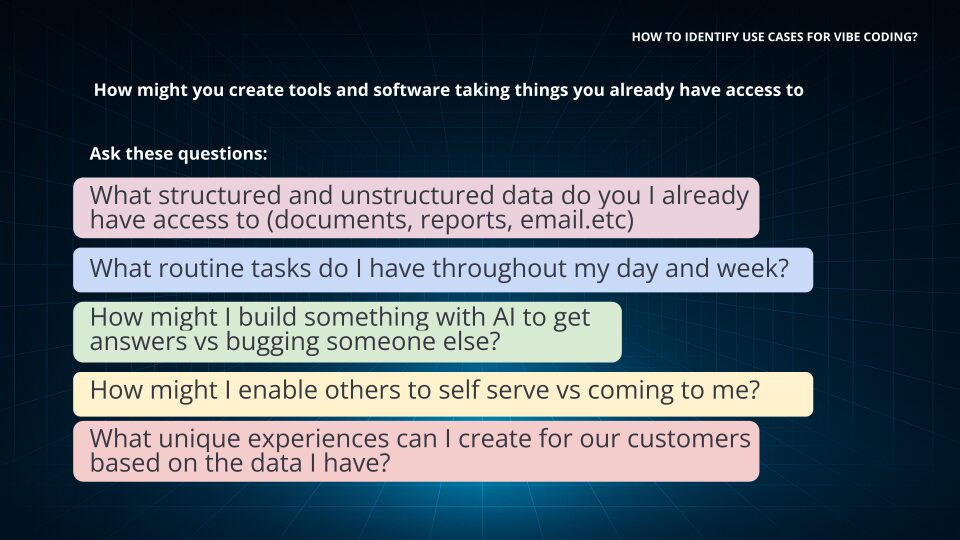
After you choose a target, the next question is ownership. You don’t need a big team, but you do need a clear RACI.
Build With the Team You Have: Roles & RACI
A pilot does not need a huge team. It needs clear ownership.
Core roles:
- Product lead (exec): owns outcome, scope, and tradeoffs
- Vibe builder(s): does the prototyping work
- Security reviewer: validates guardrails and data handling
- Platform engineer: ensures the sandbox, repos, and gates are real
Operating rhythm:
- Two demo reviews per week
- Publish artifacts to approved sandbox
- Track decisions and changes like you would in any delivery workflow
💡 Want a deeper look at how these roles evolve in AI-driven delivery? Read: The AI Development Team of the Future: Skills, Roles & Structure
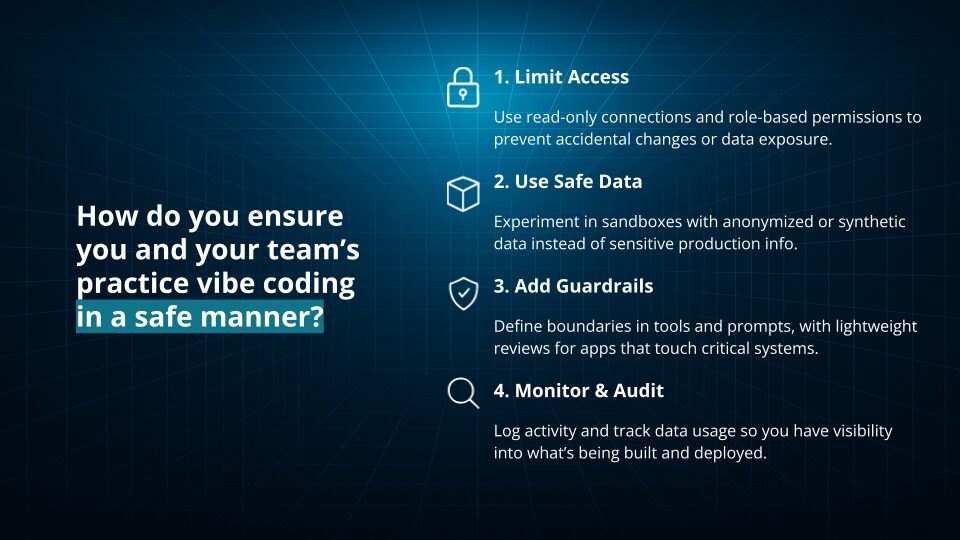
Data & Access: Keep It Safe by Design
If you want security teams to support this, design for safety upfront.
Recommended defaults:
- Mock or synthetic data in prompts.
- Read-only against production where needed.
- Secrets via vaults, not pasted into tools.
- Model selection policy based on risk tier.
Known pitfalls (watch for these immediately):
- Insecure auth scaffolds
- Missing logging and auditability
- Unclear third-party code provenance
Metrics That Matter to Executives
Vibe coding is only useful if it changes decisions, timelines, or cost. If you don’t measure it, it becomes a demo hobby.
Pilot performance (are we moving faster?)
- Time to first prototype: how quickly you get to something clickable
- Iteration pace: how many meaningful improvements you ship per week
- Rework rate: how often you have to unwind or redo what was built
Quality + risk (are we staying safe?)
- Defects that slip through: issues found after a demo or handoff
- Security findings trend: are scans getting cleaner over time, or noisier?
Business impact (did it earn the right to continue?)
- Cycle-time reduction: what step in the workflow got faster, and by how much
- Validated learning rate: how quickly you confirm, adjust, or kill an idea based on real feedback
The executive goal is simple: use metrics to decide what graduates to production and what stays a prototype.
Objections & Answers (Board-Ready)
“Isn’t this reckless?”
It is reckless without governance. With sandboxing, mock data, scanning gates, and an engineering handoff rule, it becomes a controlled way to accelerate decision-making.
“Will this replace engineers?”
No. It reshapes how engineering time is spent. Teams still need architecture, testing, integration, reliability, and security. Even tool CEOs pushing vibe coding argue the role is shifting toward review, debugging, and deployment rather than typing boilerplate.
“What about security?”
Assume AI output is risky until proven otherwise. Veracode’s data is a clear warning that working code is not the same as safe code.
Generative AI Industry Takes: What Big Players Say
Here’s the balanced view executives should adopt:
- Cloud provider framing: Vibe coding lowers the barrier to building by using natural language prompts and iterative feedback, especially useful for prototyping and exploration.
- IBM’s systems thinking angle: Treat vibe coding as fast ideation that still needs systems thinking to connect components, dependencies, and outcomes.
- CIO media guidance: IT leaders should combine governance with enablement, use source control, and define guardrails and approval workflows.
- Security press warning: Security risks are real, especially when teams skip requirements and review.
- Productivity reality check: In some contexts, experienced developers slow down due to verification overhead, so measure outcomes instead of assuming speed.
That’s the executive posture: optimistic, but not naive.
Vibe Leadership vs. Vibe Coding
Vibe coding is tactical. Vibe leadership is strategic.
- Vibe coding: you build a prototype to clarify direction.
- Vibe leadership: you create the conditions where fast prototyping produces learning, not chaos.
Some industry voices argue leaders should focus less on “coding” and more on outcome-driven experimentation and decision velocity.
The best executive approach is to do both: lead with outcomes, and use prototypes as the fastest way to align teams around those outcomes.
Buyer’s Guide: Selecting Platforms & Partners
If you are choosing a platform (or a partner), use this checklist:
Platform checklist
- Export to GitHub and standard repos
- Clear auth patterns
SOC 2 posture and - security controls
- Data residency and model policy alignment
- Cost telemetry and usage controls
Partner checklist
- Proven bridge from prototype to production delivery
- Security and governance baked into the process
- Ability to accelerate without creating long-term debt
- Experience embedding AI into SDLC, not just building demos
Step-By-Step: Your First Executive Prototype in 90 Minutes
Prep (15m):
- Pick one outcome
- Gather mock data
- Write a meta-prompt with constraints and “definition of done”
Build (60m):
- Scaffold UI and flow
- Add basic auth (even if it is stubbed)
- Add a couple basic tests
- Run a scanner or lint gate
- Record a short demo walkthrough
Share (15m):
- Demo to stakeholders
- Capture decisions and next steps
- Decide whether this graduates to engineering delivery
If you want inspiration for “small but valuable,” start with these examples: a dashboard, a recurring report, or a workflow automation that saves real hours each week.
Executive FAQ (Fast Answers, With Links)
Which tools are easiest to start with?
Start with a low-friction builder for UI and flow, then use an IDE copilot to clean up, refactor, and add tests.
How do I avoid lock-in?
Require export to GitHub and store prompts, decisions, and artifacts in your standard systems.
What does “good” look like at 90 days?
You have a repeatable pilot motion, measured outcomes (time-to-prototype, iteration velocity, security findings trend), and a clear graduation path to production-grade delivery.
Is vibe coding actually safe?
It can be safe when governed, but AI-generated code should be treated as risky until it passes scanning and review.
Lead the Work, Don’t Just Watch It
Vibe coding is not a novelty. It is an executive lever when paired with governance. It lets leaders prototype quickly, align teams faster, and make better decisions with less wasted motion.
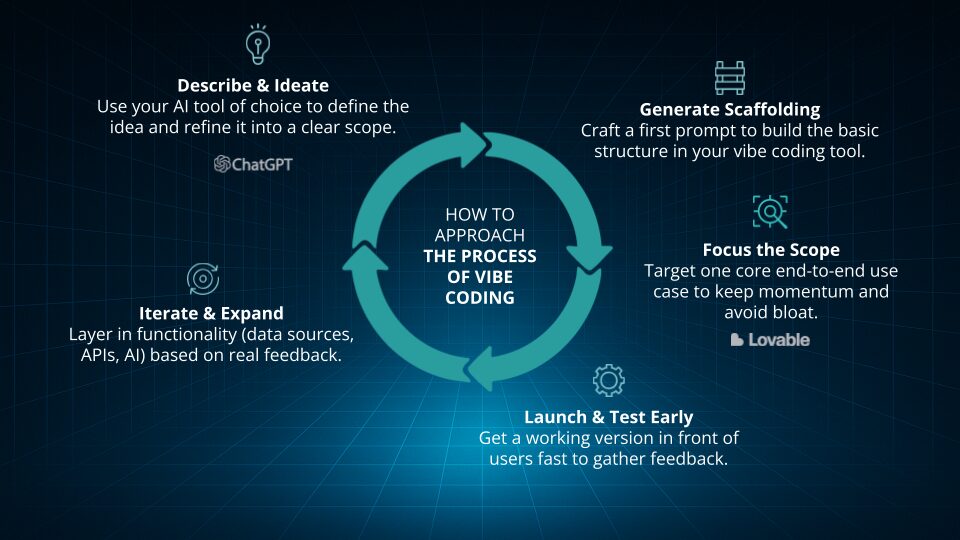
If you want to do this well, do not start with a “big app.” Start with one narrow workflow, run a 30-day pilot, measure the right KPIs, and graduate only what earns the right to become real software.
And when it is time to move from prototype to production, bring in delivery rigor: engineering ownership, security gates, and an AI-driven SDLC that ships reliable, governed software.
If you want help building the pilot and designing the handoff to production-grade delivery, that’s exactly what our GenDD Accelerator is built for.
When vibe coding reaches its limits, GenDD takes over.
Vibe coding is how you get to clarity fast.
GenDD is how you turn that clarity into software you can scale, govern, and own.
The handoff is triggered by four signals: the app needs real integrations and maintainability; it touches sensitive data or regulated workflows; multiple teams need version control, testing, and structured delivery; or the prototype is proving valuable enough to become a core product.
Vibe coding is for speed. GenDD is for scale.
Essential AI Skills for Your Team
AI Training for Teams gives your team foundational AI knowledge, preparing you to effectively integrate AI into your business.