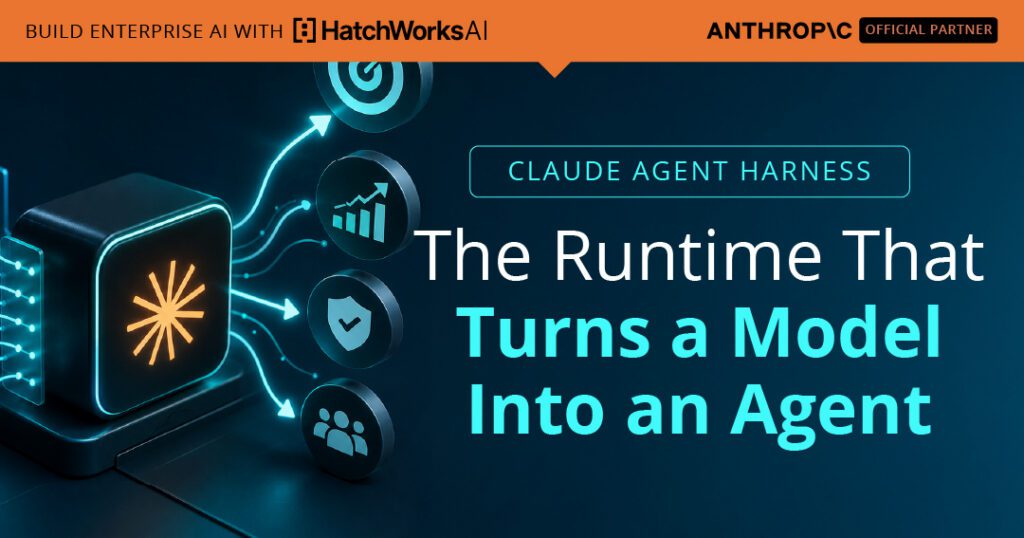
A language model, on its own, is not an agent. It reads a prompt and returns text. It cannot run a command, read a file, check whether its last attempt worked, or decide what to do next. What turns a model into an agent is the scaffold that runs around it: the loop that lets it act, observe the result, and try again until the job is done. That scaffold is the harness, and it is the single most important piece of agent infrastructure that most teams never name.
This guide defines the agent harness from the ground up. It covers the five things every harness has to do, the agent loop at its center, and the decision that matters most in practice: whether to take a harness off the shelf or build your own. It is the conceptual map for the two pieces that follow, on Claude Code and the Claude Agent SDK, and it assumes you have already met the building block one level down, the Skill. If you have not, start with Claude Skills architecture.
What this guide covers
- What an agent harness actually is
- The agent loop at the center
- Tool access: the hands
- Context management: what the model sees
- Memory and the session: what it remembers
- Control and verification: the guardrails
- Managed or custom: where you get a harness
- Common harness pitfalls
- From harness to methodology
What an agent harness actually is
The harness is the runtime that wraps a model and turns its text output into action. A useful way to see it is to split any agent into three parts that can live in different places. There is the brain, which is the model plus the harness loop that decides what to do next, routes each tool call, and feeds the result back into the next turn. There are the hands, the sandboxes and tools that actually do things: read a file, run a command, call an API. And there is the session, the append-only record of everything that happened, every reasoning step, every tool call, every result. The brain reasons, the hands act, the session remembers.
Naming these parts matters because the harness is the one that is easy to miss. The model is obvious and the tools are obvious, but the loop that connects them, decides when to stop, manages what stays in context, and enforces what the agent is allowed to do is doing most of the work that makes an agent reliable. Across the rest of this guide, a harness is defined by five responsibilities: running the loop, providing tool access, managing context, persisting memory, and enforcing control. Get those five right and you have a production agent. Get them wrong and you have a model that occasionally does something useful.
The agent loop at the center
Every harness is organized around one cycle. The model reasons about the task and may ask to use a tool. The harness executes that tool and captures the result. The result is fed back to the model, which reasons again with new information. The cycle repeats until the model stops asking for tools and produces a final answer, or until a turn limit is reached. That is the agent loop, and it is the difference between a single model call and an agent that works a problem.
If you have written agents against the raw Messages API, you have built this loop by hand: call the model, check whether it wants a tool, run the tool, append the result, call again, repeat. A harness is precisely the thing that owns this loop for you. Step through one task below to see the cycle run.
Step 1
Model reasons
Step 2
Requests a tool
Step 3
Harness executes
Step 4
Result observed
Two details in that cycle decide whether an agent finishes well. The first is the stop check: the harness has to recognize when the model is done and end the loop, and it has to cap runaway loops with a turn limit so a confused agent cannot spin forever. The second is that every pass through the loop adds to what the model is carrying, which is why context management, covered further down, is not optional at any real length of task.
Tool access: the hands
A loop is only as useful as what the model can do inside it, and that is the tool layer. A capable harness ships with a built-in toolset so an agent can work immediately: reading and writing files, editing code, running shell commands, searching and fetching from the web. The harness handles the unglamorous parts, declaring each tool to the model, executing the call when the model asks, and returning the result in the shape the loop expects, so you are not wiring that up by hand.
Beyond the built-ins, the harness needs a clean way to add your own tools, and the standard for that is the Model Context Protocol. An MCP server exposes custom tools and live data sources to the agent through one consistent interface, which is how a general purpose harness reaches your database, your ticketing system, or any internal API. This is also the boundary that keeps a Skill honest: a Skill is procedural method and cannot reach live state, so when an agent needs current data it is the harness, through a tool or an MCP server, that provides it. For where Skills sit relative to tools and the harness, see Claude Skills architecture.
Context management: what the model sees
Within a session the context window does not reset between turns. Everything accumulates: the system prompt, the tool definitions, the full conversation history, and every tool input and output. A single verbose command or one large file read can add thousands of tokens in a turn, so a long task will march toward the edge of the window unless something manages it. Curating what the model carries is one of the harness's core jobs, not an afterthought.
A mature harness handles this on two fronts. It keeps the stable parts of the prompt, the system prompt, tool definitions, and standing project context, cached so repeated prefixes are cheaper and faster rather than re-paid every turn. And it compacts: when the history grows large the harness can summarize older turns to reclaim space, automatically as the window fills or on demand. This is the same economy that governs Skills one level down. Progressive disclosure keeps a Skill from spending context it does not need, and context management keeps the loop from drowning in its own history. Designing both well is the same discipline applied at two altitudes.
HatchWorks AI is an Official Anthropic Claude Partner. Our Anthropic-certified Forward Deployed Engineers deploy Claude into your business and make it stick.
See how our FDEs work →Memory and the session: what it remembers
There are two kinds of memory in an agent, and the harness owns both. Short-term memory is the context window itself, what the model can see right now. Long-term memory is the session, the durable record that lets work survive beyond a single window. A good harness gives each run a session identity so it can be resumed later with full context restored: the files that were read, the analysis that was done, the actions that were taken. Some harnesses also let you fork a session to branch into a different approach without disturbing the original.
This is what separates a one-shot script from an agent you can operate. When a task spans more than one context window, or a run fails partway and has to pick up where it left off, the session is what makes recovery possible. The append-only log of every event is also what makes an agent auditable, which matters the moment these systems touch anything that needs review. Memory, in other words, is not just convenience. It is the basis for both durability and accountability.
Control and verification: the guardrails
An agent that can read files, run commands, and call APIs is powerful in proportion to how dangerous it would be unchecked. The harness is where that power is governed. The first control is permission over tools: an allowlist of what runs without asking, a mode that decides how other calls are handled, and an approval callback that can pause before a sensitive action so a human, or a rule, decides whether it proceeds. This is how you let an agent edit code freely while still requiring a human to approve a database write or a production deploy.
The second control is interception. A harness can run deterministic checks at fixed points in the loop, before and after each tool call, to validate inputs, block forbidden operations, log every action for audit, or feed automated feedback back to the agent. These checks are ordinary code, not model judgment, which is exactly what you want for the rules that must always hold. Together, permission and interception are what make an autonomous loop safe to point at real systems, and they are the part of the harness that turns a demo into something you can put in production. This control layer is also the natural seam where a methodology plugs in, which is where this guide ends.
Managed or custom: where you get a harness
You almost never build a harness from absolute zero. The real choice is how much of it you take off the shelf. The same agent loop sits underneath several products at different operational layers, from owning every step yourself to handing the whole runtime to someone else.
Most control
Raw Messages API
You write the loop, tool execution, and context handling yourself.
Build your own
Agent SDK
The same harness as a library. You embed it; it owns the loop.
Off the shelf
Claude Code
The harness as a finished interactive runtime you drive.
Least to operate
Managed Agents
The hosted harness with sandboxes and sessions run for you.
The two layers most teams choose between are the middle two. Use the selector to see which fits a given need.
What are you trying to do right now?
| Layer | Who owns the loop | Best for | You give up |
|---|---|---|---|
| Raw Messages API | You do, by hand | A single call, or total control of a bespoke loop | All the plumbing is yours to build |
| Agent SDK | The library | Embedding an agent in your own code or pipeline | You still operate the process it runs in |
| Claude Code | The runtime | Interactive, hands-on work in a terminal | It is interactive first, not a service |
| Managed Agents | The hosted service | Production fleets without running infrastructure | Some immediacy and direct control |
The two middle layers each get their own deep dive. The off-the-shelf path is covered in our guide to Claude Code as a production harness, and the build-your-own path in our guide to the Claude Agent SDK and managed agents. A common route is to prototype with the SDK and graduate to managed infrastructure once you need hosted sandboxes and session handling you would rather not run yourself.
Common harness pitfalls
Most agent failures are not model failures. They are harness failures, and they cluster around the same few mistakes.
A loop with no cap can spin indefinitely when the model gets confused, burning tokens and time with nothing to show. Always set a maximum number of turns so a stuck agent fails fast instead of running away.
Because the window accumulates every turn, a long task quietly approaches its limit until the agent runs out of room mid-job and leaves undocumented partial work. Budget context, cache stable prefixes, and compact aggressively on long runs.
If each run starts fresh, a failure halfway through means starting over, and nothing is auditable after the fact. Capture the session so work can resume and every action has a record.
Auto-approving every tool is convenient until the agent runs a destructive command unprompted. Allowlist the safe operations, gate the dangerous ones behind approval, and intercept the rest with deterministic checks.
Hand-writing the loop, tool execution, and context handling is the right level only when you need total control. For most agents it is rebuilding what the Agent SDK already gives you, and the time is better spent on your actual logic.
From harness to methodology
A harness gives you a loop that can act, remember, and be controlled. What it does not give you is an opinion about how work should be done. The loop will run whatever process you point it at, which means the quality of an agent in production depends less on the harness than on the discipline running inside it: how work is planned, how it is checked, where a human stays in control, and what standard the output has to meet.
That discipline is what a methodology supplies. At HatchWorks, our Generative-Driven Development approach treats the agent loop as something to be engineered, not just invoked. The GenDD Execution Loop wraps the raw harness cycle in the planning, verification, and human checkpoints that make autonomous work trustworthy, and it plugs into exactly the control layer this guide described. The harness is the engine. A methodology is what decides where it drives.
You've seen what a harness must do to turn a model into a reliable agent. Our FDEs build and govern that runtime inside your business, to Anthropic's standards, with recovery built in from the start.
Official Anthropic Claude Partner
Part of the Claude Partner Network, HatchWorks AI embeds Anthropic-certified Forward Deployed Engineers in your team to find where Claude delivers value, ship it into production, and help make adoption stick.
Talk to a Forward Deployed Engineer See how FDEs work