An agent stops being a chatbot when it starts doing things you didn't ask it to do, on its own initiative, at the right moment. Until that crossover, every Claude interaction begins with a human typing. After it, a deploy fires a webhook and Claude reviews the build. A clock strikes nine and Claude pulls the overnight Slack threads into a brief on your desk. A pull request lands and Claude runs a custom review before the human reviewer even sees the diff. Same model, same Skills, same Sub-Agents and SDK and Managed Agents under the hood. What changed is when the work starts, and who started it.
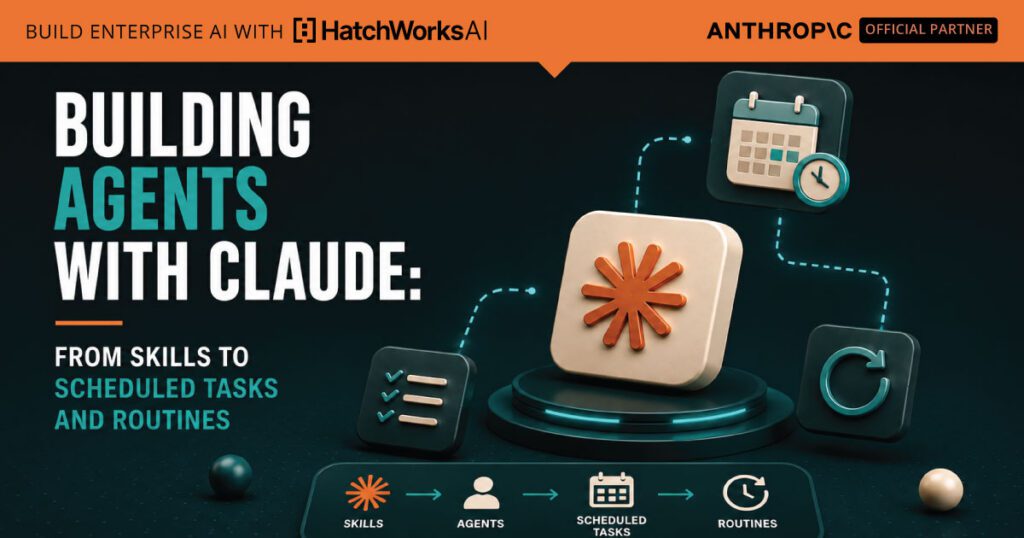
Anthropic shipped two products in 2026 that make this transition tractable. Claude Cowork Scheduled Tasks let knowledge workers package a Cowork prompt and run it on a cadence (hourly, daily, weekly), with full access to their connected tools and Skills. Claude Code Routines do the same for engineering work, with three trigger types stacked on top of one configuration: scheduled, API webhook, or GitHub event. Both turn agents from things you invoke into things that run.
This guide is the closing piece in a five-article series on building with Claude. By now we've covered Skills (the unit of capability), Sub-Agents and Agent Teams (delegation patterns), and the Agent SDK and Managed Agents (where the agent runs). This article is about putting those primitives together into agentic systems: when to reach for which trigger, how the pieces compose, and the governance pattern that keeps autonomous agents safe rather than chaotic. The whole point of the series has been to set up this conversation. The platform now provides the primitives. The methodology is what makes them work.
In this guide
- The agentic arc: from manual to autonomous
- Cowork Scheduled Tasks: agents for knowledge work
- Code Routines: agents for engineering work
- Three trigger types, three failure modes
- The full agentic stack
- The governance pattern that makes autonomy safe
- Why this is the methodology conversation
- HatchWorks AI
The agentic arc: from manual to autonomous
Most teams' relationship with Claude moves through four stages, in roughly the same order. Naming the stages is useful because they're the dimension this whole guide is organized around: what's new in 2026 isn't the model's reasoning capability, it's the platform's ability to run that reasoning without a human in the loop on every turn.
The four stages, in the order most teams encounter them:
- Manual conversation. A human types a prompt. Claude responds. The whole interaction lives inside the chat. This is Claude.ai. The model does interesting work, but every turn requires a human.
- Delegated execution. A human gives Claude a goal and Claude executes a multi-step plan against files, tools, or systems. This is Claude Code, Cowork, and the Agent SDK. The human is still the one starting the work, but the human isn't watching every step.
- Triggered execution. Something other than a human starts the work: a clock, an HTTP request, a webhook, a file event. The human designed the trigger and the agent, and reviews the output, but no human invokes each individual run. This is Cowork Scheduled Tasks and Code Routines. This is where Claude becomes genuinely agentic.
- Multi-agent autonomy. Several agents coordinate on triggered work, with sub-agent delegation and Agent Team patterns inside. The system runs itself, with human oversight focused on the output and the trigger logic rather than the moment-to-moment execution.
The crossover is between stages two and three. That's the moment when the agent stops being a thing you use and starts being a thing that runs. Everything earlier in this series (Skills, sub-agents, the SDK) is what makes the agent capable. The two products this article centers on are what make the agent autonomous, on a controlled cadence, in a way that's still safe to deploy.
The visual below walks through the four stages and shows where each Anthropic product sits in the arc.
The agentic arc
From manual to autonomous, in four stages
Each stage adds a way for the agent to start work without a human typing. Step through to see what changes and which products fit.
1
Manual conversation
Human types, Claude responds
2
Delegated execution
Human starts, Claude executes plan
3
Triggered execution
Something else starts the work
4
Multi-agent autonomy
Agents coordinate without a human
Stage 1
Manual conversation
Who starts each turn
Products at this stage
Cowork Scheduled Tasks: agents for knowledge work
Scheduled Tasks landed in Cowork on April 9, 2026 and were the platform's first answer to the question of how non-developers run agents on a cadence. The pattern is simple: write a Cowork prompt the same way you would for an on-demand task, give it a name and a frequency, and Cowork runs it for you. Each scheduled run creates its own Cowork session, with full access to the connectors, plugins, and Skills you have configured. The output shows up where you can review it, the same way an on-demand task would.
What they're built for
The use cases that surfaced quickly in early adopter write-ups are the obvious ones, and they're the right ones to start with:
- Daily briefings. Summarize the last 24 hours of Slack messages, calendar events, and email. Land it on your desk before the first meeting of the day.
- Weekly reports. Pull data from Google Drive, spreadsheets, and connected tools into a formatted summary that goes out on Friday afternoon.
- Recurring research. Track competitors, industry news, or a specific topic on whatever cadence the topic actually changes (often weekly, sometimes daily).
- File organization. Periodically sort, clean up, or process files in a designated folder. Less glamorous than the others, surprisingly high-leverage.
- Team updates. Generate status summaries from project management tools (Linear, Asana, Jira) on a sprint cadence.
Each task runs as a fresh Cowork session every time it fires. There's no carryover from one run to the next unless the task itself is built to read from durable storage (a file, a Google Doc, a Linear ticket). For most use cases this is the right behavior: the task is doing the same kind of work each time against the current state of the world, and fresh context is a feature.
How to create one
Two paths. You can type /schedule in any Cowork chat, including in the middle of a one-off task that turned out to be worth repeating. The /schedule Skill walks you through naming the task, choosing a frequency, and confirming the prompt. Or you can go to the Scheduled page in the Cowork sidebar and click New task, which opens a form with the same fields plus model selection and an optional working folder.
Frequencies are hourly, daily, weekdays, weekly, or manual (run on demand from the dashboard). The model selector lets you pin a specific Claude version per task; useful if some recurring work needs Opus while others can run on Haiku for cost.
The thing to know about
There's one constraint that catches new users, and it's worth flagging up front: Scheduled Tasks only run when your computer is awake and the Claude Desktop app is open. If your machine is asleep or Cowork isn't running when the scheduled time arrives, the task is skipped. When you wake up your machine or reopen the app, Cowork re-runs the missed task automatically and sends you a notification. The skipped runs also appear in the task's run history so you can see what happened.
This is the right design for desktop-bound work that operates on local files and per-user credentials, but it has practical consequences. A daily briefing task scheduled for 7 AM only fires at 7 AM if your laptop is awake at 7 AM. If you typically open your laptop at 8:30, the briefing will run at 8:30 instead. For most knowledge work this is fine. For anything where the timing genuinely matters (a stand-up summary that needs to arrive before stand-up starts), you'll want either to set the schedule defensively early, leave your machine on, or use Code Routines on the cloud instead.
Code Routines: agents for engineering work
Code Routines is the engineering-side counterpart, currently in research preview. A routine is a saved Claude Code configuration: a prompt, one or more repositories, and a set of connectors, packaged once and run automatically. The architectural difference from Cowork Scheduled Tasks is that Routines run on Anthropic-managed cloud infrastructure, which means they keep running when your laptop is closed. This makes them suitable for the production-shaped work that engineering teams care about: deploy verification, pull-request review, alert triage, the kinds of things that have to fire reliably regardless of which engineers are online.
Three trigger types, one configuration
The thing that makes Routines genuinely powerful is that a single routine can carry more than one trigger. The platform offers three:
- Scheduled. Hourly, daily, weekday, or weekly cadence, with a one-hour minimum interval. Runs convert your local time to UTC automatically and start with a small consistent stagger. One-off scheduled runs (run once at a specific future timestamp) are also supported and exempt from the daily run cap.
- API. A dedicated HTTP POST endpoint per routine with a bearer token. Send a request, the routine fires, you get back a session URL you can watch in real time. The endpoint accepts an optional text field that's passed to the routine as run-specific context (an alert body, a failing log, a commit SHA).
- GitHub event. Routines can subscribe to pull request and release events with filter support (author, title, labels, branch, draft state, merge state). The Claude GitHub App handles delivery; each matching event starts its own session.
The combinability is what makes the system useful in real engineering workflows. A pull-request review routine can run on every pull_request.opened event, also fire on a nightly schedule against any open PRs that didn't get a review during the day, and also be triggerable from your deploy pipeline when something specific needs a re-check. One configuration, three reasons it might run.
What routines run as
Each routine run is a full Claude Code cloud session. Anthropic provisions the environment, clones the repositories from their default branch, and runs the routine with the connectors you've configured. Crucially, there's no permission-mode picker and no approval prompts during a run, because there's no human present to answer them. What the routine can do is determined entirely by three things, set when you create the routine:
- The repositories you select. Each one is cloned per run. By default, Claude can only push to claude/-prefixed branches; you can opt into unrestricted branch pushes per repository if the work genuinely needs it.
- The environment. Network access (the default Trusted level allows package registries and common dev domains but blocks everything else), environment variables for secrets and API keys, and an optional setup script that installs dependencies.
- The connectors. Your connected MCP integrations on claude.ai. All connected MCP servers are included by default; remove any the routine doesn't need.
The pattern that emerges is that routine design is mostly about pre-committing to scope. You're saying, at creation time, exactly what this routine can reach and what it can change. The runtime is constrained by configuration rather than by interactive approval. That's a different posture from working with Claude Code interactively, and it's the right posture for autonomous work.
Local routines exist too
In the Desktop app, when you click New routine, you're offered two options: Remote (the cloud routine described above) or Local. The local option creates a Desktop Scheduled Task that runs on your machine instead of in the cloud, with the same constraint as Cowork Scheduled Tasks: it only fires when your computer is awake and Claude is running. Local routines have access to local files and credentials in a way cloud routines don't. The trade-off is the same as for Scheduled Tasks: local execution for things that genuinely need to live on your machine, cloud execution for things that need to run on a clock regardless of where you are.
Scheduled Tasks vs Routines
Two products, the same agentic idea
Different audiences, different runtime, different trigger set. Pick a product to see its summary, then switch dimensions to compare both at once.
Cowork
Scheduled Tasks
For knowledge workers, on the desktop
Schedule a Cowork prompt to run on a cadence (hourly, daily, weekly). Same connectors and Skills as on-demand Cowork tasks.
Code
Routines
For engineers, on the cloud
A saved Claude Code configuration with three trigger types stacked: schedule, API webhook, GitHub event. Runs on Anthropic-managed cloud.
Who it's for
Where it runs
Trigger types
When it can fire
Best fit
Three trigger types, three failure modes
The three trigger types (schedule, API, event) aren't interchangeable. Each one fits different work, and each one fails in a different way when the work is mis-fit. Naming the failures up front saves the debugging time later.
Schedule triggers
A schedule trigger fires on a clock. It's the right answer when the work is about gathering or producing something on a regular cadence (a daily briefing, a weekly report, a nightly maintenance pass) and when missing a particular run isn't catastrophic. The two questions to ask before reaching for a schedule:
- Is the cadence actually fixed? Daily briefings make sense on a clock. Bug triage doesn't. If the work is bursty and event-driven, a schedule will run it too often (when there's nothing to do) or too rarely (when there's a flood). Schedules favor steady-state work.
- Does timing have to be exact? Schedules drift by a few minutes due to platform stagger. For most work this is invisible. For stand-up summaries that need to land before stand-up starts, schedule defensively early.
The characteristic failure mode of schedule triggers is drift: the work the routine was designed for slowly stops fitting the cadence. The team's workflow changes. The data sources move. The prompt that produced a useful daily briefing in January generates noise by June because the underlying conditions have shifted. Schedule-based routines need periodic review specifically to catch this.
API (webhook) triggers
An API trigger fires when something external POSTs to the routine's endpoint. This is the answer when the work should happen in response to something specific that already has a way to call out: an alert from your monitoring tool, a deploy completion from your CD pipeline, a status change in an external system. The trigger is the bridge between that external event and Claude.
The characteristic failure mode of API triggers is over-firing. An alerting system that fires the routine three times for the same incident, a deploy script that calls it twice per pipeline, a webhook that retries on transient failures. Each call starts a fresh session and consumes its own usage. The fix is to add idempotency on the caller side (deduplicate by incident ID, by commit SHA, by something specific) before the call ever reaches the routine.
GitHub event triggers
GitHub triggers fire on pull request and release events with optional filter support. This is where most production engineering teams will spend their routine budget: PR review, automated checks, port-to-other-repo work, release-notes generation. The Claude GitHub App handles delivery; each matching event starts its own session.
The characteristic failure mode of GitHub triggers is filter creep. The routine starts simple ("run on every PR opened"), then exceptions accumulate ("but skip drafts, but only on the main branch, but not from these authors, but also on synchronize events for certain labels"). Each filter is reasonable in isolation, but the combined logic becomes hard to reason about and the routine fires in ways nobody expected. The discipline is to write the filter down clearly in the routine's prompt as well as in the trigger configuration, so the routine can confirm at runtime that the situation actually matches what it was designed for. If it doesn't match, the routine should report and exit rather than try to do work it wasn't designed for.
Combining triggers
Routines support stacking multiple triggers on one configuration, and this is often the right design. A PR review routine that runs on every pull_request.opened event, also fires on a nightly schedule against any PRs that didn't get reviewed during the day, and also exposes an API endpoint for explicit invocation from a deploy script when something specific needs re-checking. One configuration, three reasons it might fire, each with its own characteristic shape of work.
The decision helper below matches use cases to trigger types.
HatchWorks AI is an Official Anthropic Claude Partner. Our Anthropic-certified Forward Deployed Engineers deploy Claude into your business and make it stick.
See how our FDEs work →Trigger type decision helper
What kind of trigger fits this work?
Three questions about the shape of the work, one trigger recommendation.
Question 1 of 3
What naturally starts this work?
A clock — specific time of day, day of week, or cadence
An external system — an alert, a deploy, a status change
A code change — a PR, a release, a branch update
Several of the above — the work has multiple reasonable starts
Question 2 of 3
How often does this need to run?
Bursty — sometimes many times in a day, sometimes not at all
Steady state — predictable, on a regular cadence
Rare and unpredictable — might be days or weeks between runs
Question 3 of 3
How much does timing matter?
Loose — missing a run by a few hours is fine
Tight — this needs to fire close to the event that motivated it
Answer all three questions above
Your recommendation will appear here
The right trigger type depends on what starts the work, how often it runs, and whether timing matters.
Start over
The full agentic stack
Everything in this series so far has been about a single layer of how Claude gets work done. Skills, the topic of the opening article, are the unit of capability: packaged instructions plus optional code, loaded when relevant, reusable across surfaces. Sub-agents and Agent Teams are delegation patterns: ways to split a piece of work into parallel pieces under different topologies. The Agent SDK and Managed Agents are about where the agent loop runs: in your process or on Anthropic's hosted infrastructure. Triggers (the subject of this article) are about what starts the work in the first place.
In a real production system, you use all of these together. Not because the stack is fancy, but because each layer answers a different question, and an agentic system worth deploying has answers to all of them. The composition is what makes the system work; the individual pieces are just primitives.
A worked example
Consider a pull-request review system, the kind most engineering teams will build at least once. The naive version is one Claude Code routine that fires on pull_request.opened and writes a review comment. That works, but it doesn't scale to a real team's needs. The production version has all five layers showing up:
- Trigger. A Code Routine subscribed to pull_request.opened events on the team's repos, with filters that skip draft PRs and require a specific label for routines that touch sensitive areas.
- Capability. A bundle of Skills loaded by the routine: one for the team's code review checklist, one for security review patterns, one for performance review, one for the team's preferred output format. The progressive disclosure pattern from the Skills article keeps tokens reasonable; only the relevant Skills load for any given PR.
- Delegation. Inside the routine, sub-agents handle parallel review of different concerns: one sub-agent for security, one for performance, one for style. Each runs in isolated context, each returns a structured finding list. The orchestrator merges and ranks.
- Runtime. Because this is a routine, it's running on Anthropic-managed cloud infrastructure with the durable session log Managed Agents provides. If the harness crashes mid-review, the session resumes from the last event. The team doesn't operate any of that infrastructure.
- Governance. The routine's connectors list is scoped to read-only access on the repository and write access on the PR comment thread. The environment's network access is set to Trusted rather than Full. The routine prompt explicitly says: if you can't complete the review for a structural reason (the PR is too large, the changes touch protected areas, the diff doesn't parse), comment that the routine is skipping the review and exit, rather than producing partial or low-quality output.
Each layer is doing useful work that the layer above or below doesn't do. Remove any one of them and the system gets meaningfully worse: no triggers and a human has to invoke each review; no Skills and every routine prompt has to re-specify the checklist; no sub-agents and the review is sequential and slow; no Managed Agents architecture under the routine and a mid-review failure loses state; no governance and the routine has more permissions than the work requires.
The pattern generalizes
The PR-review example is one shape of agentic system, but the layer model holds for every other shape. A daily-briefing Cowork Scheduled Task uses the same five layers: trigger (a daily schedule), capability (Skills for summarizing Slack, parsing email, formatting reports), delegation (rarely needed for a single briefing, but sometimes useful for parallel research), runtime (local Cowork, running when the desktop is open), and governance (the connectors the task has access to, the folder it can write to). A deploy-verification routine, an alert-triage routine, a docs-drift checker, a competitor-research weekly: every working agentic system has the same five layers underneath, just configured for different work.
The synthesis visual below shows the stack as a whole, with the layers labeled and an example use case mapped onto each.
The agentic stack
Five layers, one working system
Each layer answers a different question about how the agent works. Pick a use case and a layer to see how they compose.
Pull-request review
Daily briefing
Alert triage
5
Top layer
Trigger
What starts the work
4
Layer 4
Capability
What the agent knows how to do
3
Layer 3
Delegation
How the work splits up
2
Layer 2
Runtime
Where the agent loop runs
1
Foundation
Governance
What the agent is allowed to do
Trigger
What starts the work
Pull-request review example
The governance pattern that makes autonomy safe
Governance is the foundation layer of the agentic stack, and it's also the layer that's easiest to underweight. With interactive Claude (chat, Code, Cowork on demand), governance happens turn by turn: the human is right there, approving or declining each significant action. With triggered work, there is no human in the loop on the moment-to-moment execution. Whatever the routine is going to do, it's going to do, with whatever permissions it was given.
This isn't a new problem (every CI pipeline, every cron job, every webhook handler has had to solve it), but it's newly relevant for AI work because the action space is dramatically larger than a typical cron job. The agent can write code, call connectors, modify external systems, and reason about which actions to take. The discipline that keeps this safe is mostly the same set of patterns that experienced infrastructure teams have used for years, applied to a more capable runtime.
Pre-commit to scope at creation time
The single most important governance move with triggered routines is that scope decisions happen at creation time, not at execution time. When you create the routine, you choose the connectors it can use, the repositories it can touch, the network access level, the environment variables, and the branch-push permissions. These decisions are durable; the routine carries them on every run.
The default for every dimension should be the smallest set that lets the work happen. The Trusted network policy rather than Full. claude/-prefixed branches rather than unrestricted pushes. Only the connectors the work specifically needs. The routine should not have access to things it doesn't use, because triggered execution means there's no opportunity to deny a specific action at runtime.
Build in self-bounding
The prompt itself is a governance tool, and one of the best uses of it is to explicitly bound the routine's scope of action. A pull-request review routine should be told, in its prompt: if the PR is larger than X files, if it touches protected areas, if the diff doesn't parse cleanly, comment that you're skipping the review and exit. Do not produce a partial review. The discipline is the same as the obstacle-reporting pattern from the sub-agents article: when the work isn't in scope, stop and report rather than improvise.
The reason this matters more for triggered work is that there's no human to catch a bad decision in the moment. An interactive Claude session that produces a partial review is annoying but recoverable; the human reads it and asks for a better one. A triggered routine that posts a bad partial review to fifty PRs over the weekend is a real problem.
Separate validator from worker
For higher-stakes routines (anything that opens PRs, modifies external systems, or sends communications), the pattern that works is to have a separate validator step that checks the worker's output before it acts. This can be another Claude routine, a script, a human review queue, or any combination. The worker drafts; the validator approves; the action happens. For a PR review routine, this might mean writing comments as draft reviews that an engineer publishes; for an alert-triage routine, it might mean opening proposed-fix PRs as drafts rather than ready-for-review.
The principle is that the routine that does the work shouldn't be the routine that decides the work is done. Even very capable agents benefit from a second pass before action is taken on irreversible outputs.
Review the trigger itself, not just the output
A routine that's been running for six months on the same schedule may still fire usefully, or it may be running against conditions that no longer match the original assumptions. The discipline that prevents drift is to put routine review on a calendar: every quarter, every six months, on a cadence appropriate to the routine's importance, someone reads the recent runs and asks whether the trigger and the prompt still fit the work. Routines that don't pass this review get paused or rewritten.
This is the layer humans add that the platform can't: judgment about whether the system is still doing the right thing, on a slower cadence than the runs themselves.
Why this is the methodology conversation
If you've followed the whole series, you've seen the same pattern surface in each article: Skills are packaged capability, but they only matter if your team has discipline about what gets packaged and how. Sub-agents and Agent Teams are delegation patterns, but they break without governance around roles and permissions. The Agent SDK and Managed Agents are runtime choices, but the brain/hands/session decoupling that makes them work is fundamentally a methodology pattern. Now: triggers, which let agents run on their own, but the autonomy is only as safe as the governance underneath it.
Every article has been about the same underlying claim, dressed up differently each time: the platform now provides the primitives, but the methodology is what makes them work. This is the article where it's most clearly true, because triggered execution removes the human from the per-turn approval loop. Whatever your methodology is, it gets baked into the trigger configuration, the prompt, the governance layer. If those are weak, the agentic system runs your weak methodology at scale. If they're strong, it runs your strong methodology at scale. The platform isn't a substitute for the methodology; it's a multiplier on it.
What a GenDD Pod looks like at this layer
This is also the article where Generative-Driven Development becomes most concrete, because all of the methodology pieces show up at once. A working GenDD Pod for triggered work looks like this:
- Roles defined explicitly. Which routines exist, what each one does, what triggers it, what its scope of action is. Roles are written down, not assumed.
- Context Packs that travel. The Skills, conventions, and reference material the routines need are packaged so they're loaded automatically at run time. The pod doesn't depend on humans re-explaining the same context per routine.
- Permissions scoped per role. Each routine has the connectors, network access, and branch-push permissions it actually needs. Nothing more. The Three-Tier Human/AI Boundary Model names where humans review, where AI runs autonomously, and where the line between them sits.
- Validation gates that match the stakes. Reversible actions can run autonomously. Irreversible actions get a validation step (a script, a human queue, a second routine). The pod decides this per action, not per routine.
- A cadence for review. Routines are not fire-and-forget. The pod has a regular review process where outputs are sampled, triggers are evaluated for fit, and drift gets caught.
None of these are platform features. They're choices a team makes about how to use the platform. That's exactly the place where methodology lives.
The headline takeaway from the series
If there's one takeaway from the whole five-article arc, it's that 2026 made building agents tractable, but not automatic. Anthropic has done the hard platform work: Skills make capability reusable, sub-agents and Agent Teams make delegation possible, the SDK and Managed Agents make runtime decoupled and recoverable, and triggers make autonomy operational. What hasn't gotten easier is the methodology work: deciding what to build, how to govern it, where humans stay in the loop, how to know it's still working. That work doesn't come from the platform. It comes from your team's discipline about how to use the platform.
For teams ready to do that methodology work in a structured way, Generative-Driven Development is the practice we've spent two years developing at HatchWorks. The Claude primitives this series covers are the artifacts a GenDD practice produces. If you're trying to go from "we've shipped a few routines" to "we run a multi-agent system in production that we trust," that's the layer you're looking for.
The platform isn't a substitute for the methodology. It's a multiplier on it. Strong methodology gets multiplied; weak methodology gets multiplied just the same.
You've seen how the full agentic stack composes: triggers, capability, delegation, runtime, and governance. An FDE builds and governs that system inside your business.
Official Anthropic Claude Partner
Part of the Claude Partner Network, HatchWorks AI embeds Anthropic-certified Forward Deployed Engineers in your team to find where Claude delivers value, ship it into production, and help make adoption stick.
Talk to a Forward Deployed Engineer See how FDEs work